

View secret findings
-
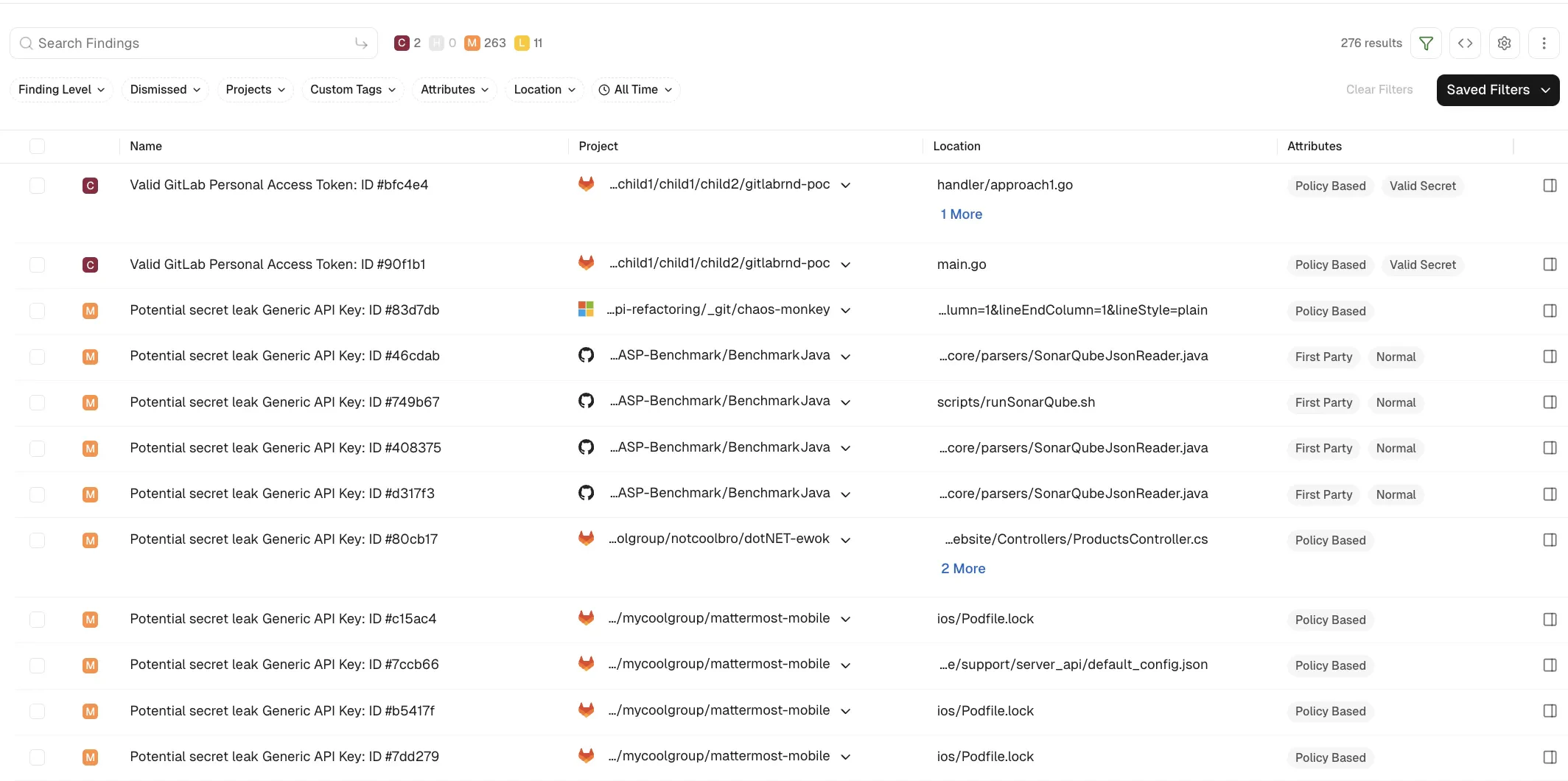
Select Findings > Secrets from the left sidebar.
-
Select a finding to view its details, including:
- Project: The project where the secret was found, with its finding policy, categories, and attributes.
- Risk Details: Whether the secret is valid or invalid, an explanation of the finding, and the recommended remediation.
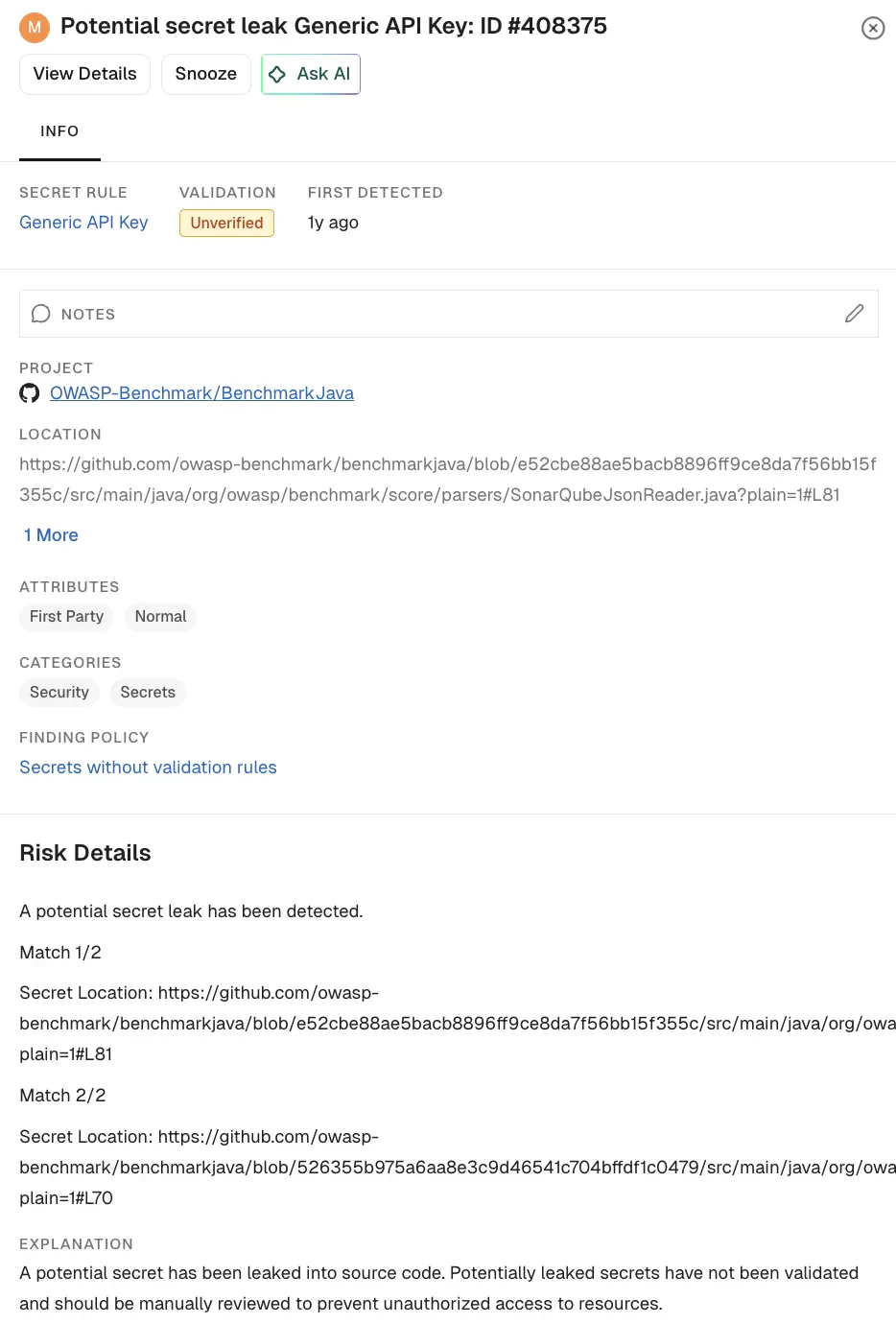
- Click View Details to explore additional information about the finding.
Secret validity
When a rule includes a validator, Endor Labs checks whether a detected secret is still active and shows the result as the Validation status on the finding.- Valid: The secret authenticated successfully and is active. Endor Labs raises these as critical findings.
- Invalid: The secret did not authenticate and is likely revoked or expired.
- Unverified: Endor Labs did not validate the secret, either because the rule has no validator or because validation could not complete.
Deduplicated findings
Endor Labs groups an identical secret found in multiple files, branches, or repositories into a single finding. Each finding lists every location where the secret appears, so you can assess the full exposure and remediate once. A higher occurrence count signals wider exposure and higher risk.Triage and prioritize
Use the following signals to decide what to address first:- Validity: Valid secrets are active and are raised as critical. Address these first.
- Occurrences: A secret found in many locations has a larger exposure.
- Location: Focus on production and default branches before feature branches.
Remediate a secret
Removing a secret from the latest code does not make it safe, because the secret remains in the Git history and may already be compromised. To remediate a leaked secret:- Revoke or rotate the credential at the issuing service so the exposed value stops working.
- Replace the hard-coded value with a reference to a secrets manager or an environment variable.
- Remove the secret from the code, and purge it from the Git history if your policy requires it.
- Re-scan to confirm the finding is resolved.
Manage false positives
If a finding is a known false positive, suppress it rather than ignoring it. Endor Labs offers inline annotations, rule allowlists, and finding-level exceptions. See Exclude false positives from secret scans.Secret findings in pull requests
When pull request comments are enabled, Endor Labs posts secret findings as inline comments on the changed lines, so developers see them in context. Inline comments are supported on pull requests and merge requests in GitHub, GitLab, Azure DevOps, and Bitbucket. Enable comments with--enable-pr-comments in a CI scan, or with the pull request comment setting in your SCM integration or scan profile. See Pull request scans and CI/CD integrations.