

- Select Projects from the left sidebar.
- Search for and select a project to review.
-
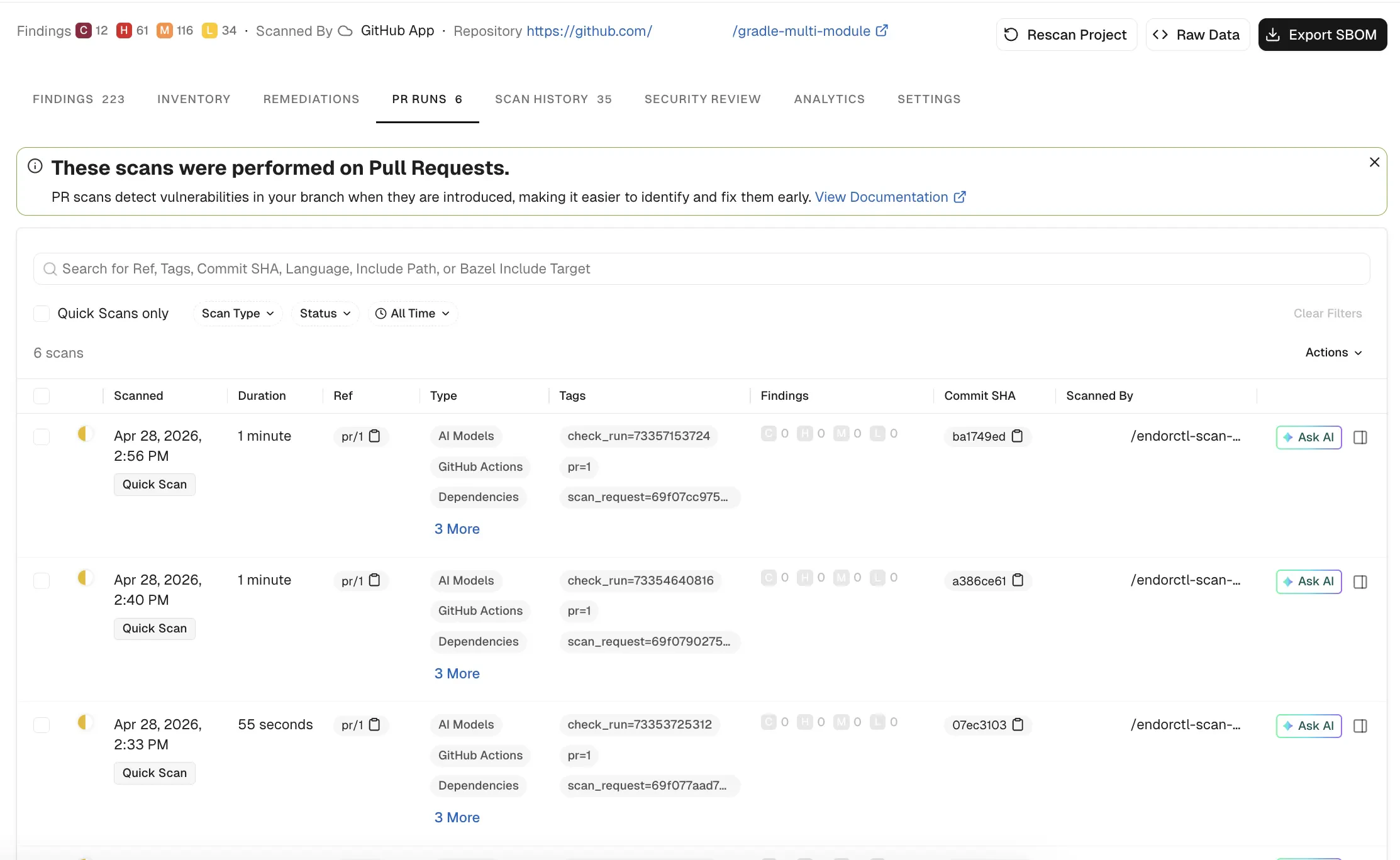
Select PR RUNS to review the past scans.
- Scan status: The status of the scan’s outcome. The following statuses are possible:
-
Scanned: The date and time the scan ran, along with the scan mode, such as
Quick Scan. - Duration: How long the scan took to complete.
-
Ref: The Git reference identifying the scanned commit or branch. For Endor Labs SCM Apps, pre-merge pull request scans use a named ref (for example,
pr/1259), while merge commit scans use a commit SHA. - Type: The categories of checks included in the scan, such as AI Models, GitHub Actions, or Dependencies.
-
Tags: System-generated tags attached to the scan, such as
check_run,pr, orscan_requestidentifiers. - Findings: The number of security findings, categorized by severity as Critical, High, Medium, or Low.
- Commit SHA: Each scan maps to a specific commit SHA, allowing users to track security issues to specific code changes.
- Scanned By: Identifies the user or system that initiated the scan.
-
Filtering & Search: You can filter scans by status, scan type, and time range. You can search by tags, commit SHA, or specific include or exclude file paths.
For example, you can select Container as a scan type from the dropdown list.
-
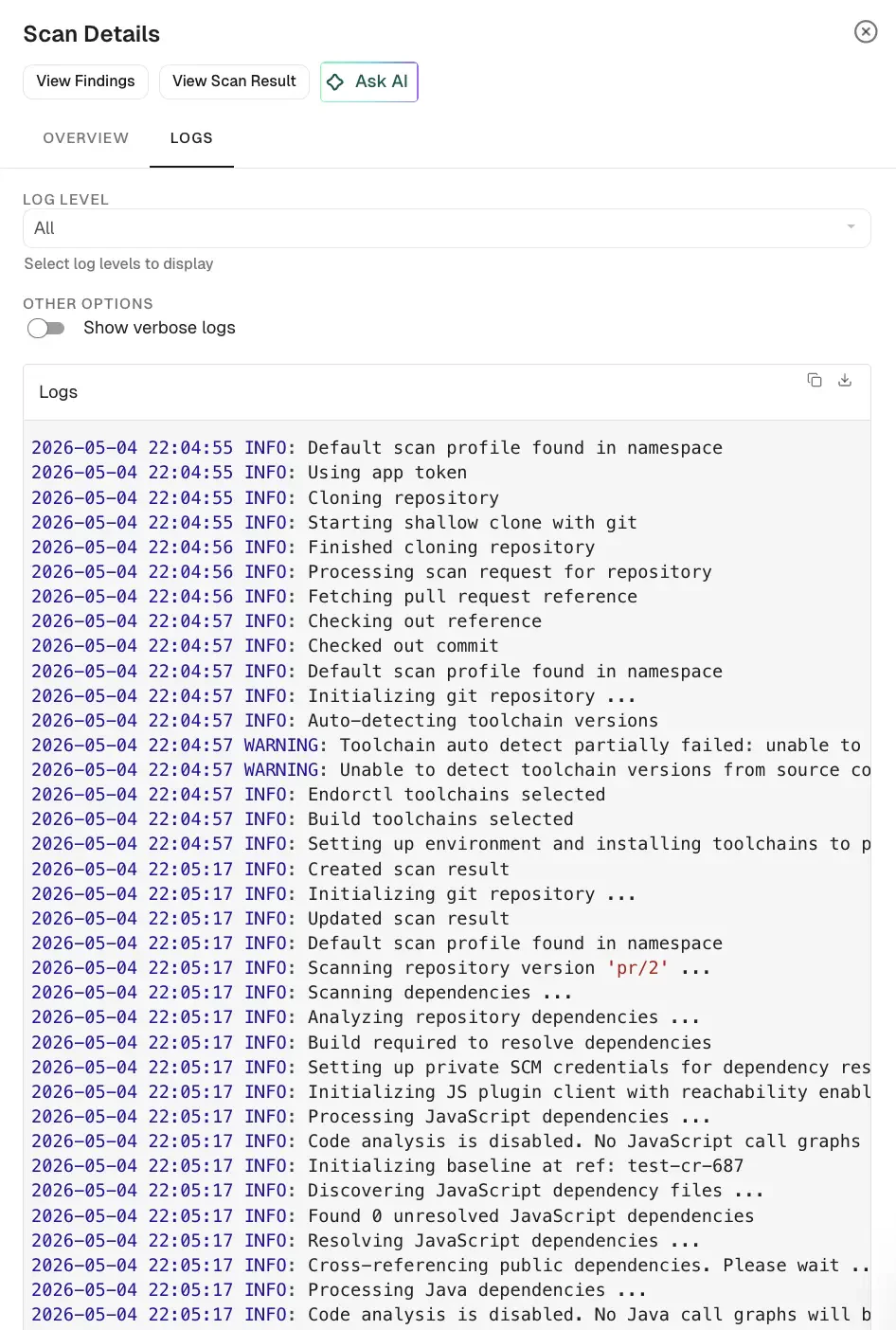
Select a record to view general information about the scan or its logs.
- View Findings: Displays security findings associated with the scan. Findings are not recorded in case of scan failures.
- View Scan Result: Displays scan information, issue logs with error details, and additional scan data.
- Overview: Displays general scan information such as the scan status, result UUID, detected programming languages, system details, and versions of key development tools used in the environment.
- Issues: Displays additional errors and warnings from the scan.
-
Logs: Monitor scan logs, even while scans are running, and filter by severity level, with selectable log severity from Emergency, Alert, Critical, Error, Warning, Notice, Info, or Debug for in-depth debugging and policy evaluations.
You can access scan logs and toolchain details for projects onboarded through Endor Labs cloud using the GitHub, GitLab, or Azure DevOps Apps. The log levels in the selected scan result determine the available log severities.
PR runs
View the history of PR scans performed on a project.
PR runs provide a detailed view of security scans performed on pull requests before you merge them. They help you assess the security impact of code changes and identify issues early in the development cycle. You can use them to verify merge readiness, ensure compliance, and troubleshoot scan failures with full context on vulnerabilities, policy violations, and dependency issues.
Was this page helpful?