

Detect malware findings
Endor Labs provides a set of malware policies designed to identify and manage malicious or suspicious code in your project, ensuring that Endor Labs detects potential security risks early.- The OSS finding policy detects malicious code and findings in your project. You can edit the policy to change the severity and template parameters.
- Configure malware action policy to specify how detected malware findings should be handled automatically, including notifications, blocking actions, and workflow triggers.
- Configure malware exception policy to exclude malware findings under defined conditions. This filters out false positives and keeps the focus on critical risks.
Determine malware exposure
Endor Labs classifies malware findings by how certain the match is between your dependency and a known malicious package version:- Definitely Affected: The dependency’s most recently resolved version is itself known to be malicious.
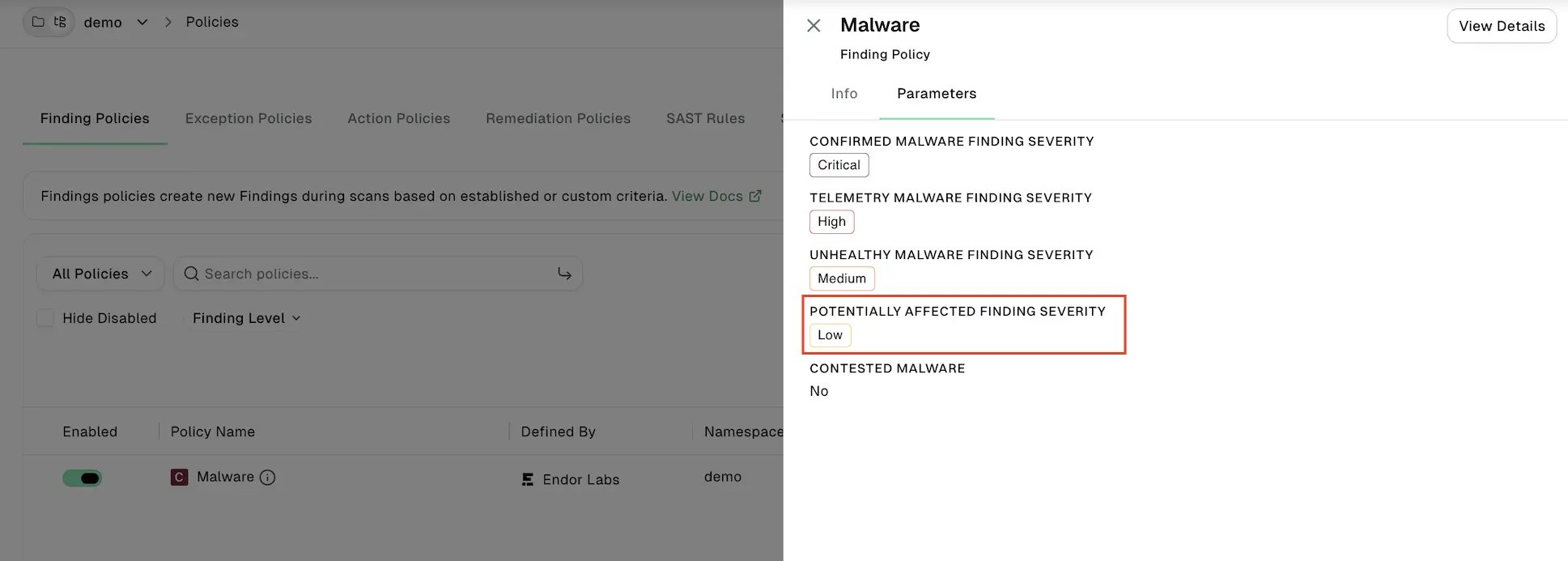
- Potentially Affected: The dependency’s version constraint could resolve to a known malicious package version, even if the most recently resolved version is clean. This assessment is based on the most recent dependency resolution, so a malicious version may have already been downloaded to a build system or a developer’s machine before a new scan detects it.
- New tenants have this threshold set to Low by default.
- Existing tenants get it enabled automatically when Upgrade Policies to Latest Version is turned on. See Configure policy settings.
- You can upgrade the Malware finding policy to add the parameter. See Upgrade a finding policy.
View malware findings
You can view the malware findings, prioritize them, and take corrective action.- Select Projects from the left sidebar.
- Select the project for which you want to view the malware.
- Select Malware to view malware findings.
-
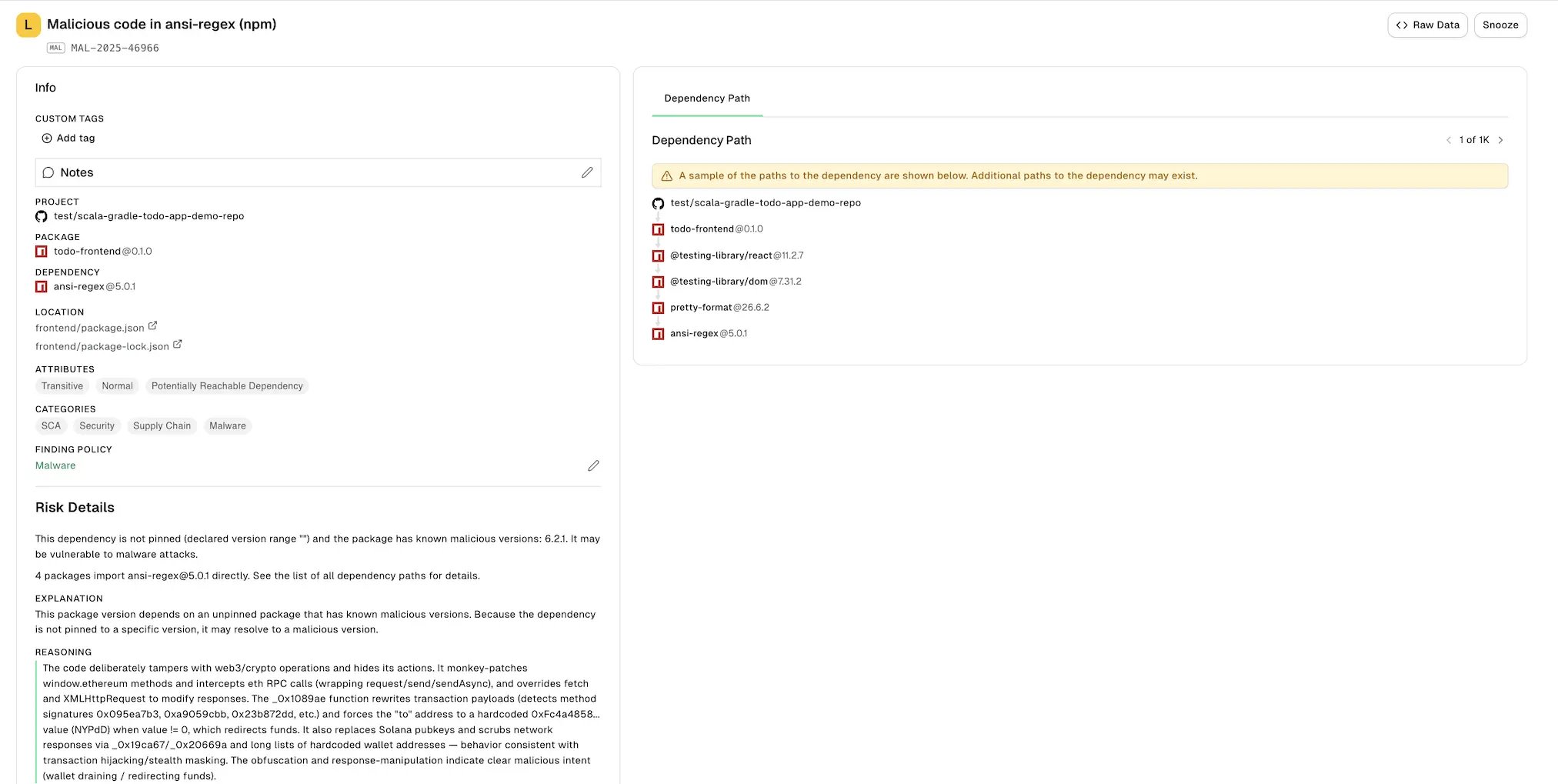
Select a finding to view the following information:
- Project: The name of the project where Endor Labs finds the malware, finding policy, categories, and attributes of the project.
- Risk Details:
- Explanation of the finding.
- Reasoning explains why Endor Labs classifies the package as malware.
- Recommended remediation.
- Metadata: Contains details such as the vulnerability IDs, ecosystem, package release date, and advisory publication date.
- Dependency Path: Shows how upstream dependencies reach the malicious package version.
-
Click View Details to see the full details of the malware finding.
Permitted use of malware detection data
The following sections describe the permitted use of malware detection data across Endor Open Source Core (OSS Core), Open Source Pro (OSS Pro), and Package Firewall licenses.What’s included with OSS Core / OSS Pro vs. Package Firewall
The following table summarizes the capabilities available with each license.Scope of the included capability
Malware detection is included with Endor Labs OSS Core and OSS Pro so that you can identify and remediate malicious packages that Endor Labs has detected in the dependencies of repositories you have onboarded and scanned. Findings for your scanned dependencies are yours to consume through the UI, the API, and CI/CD integrations, including exporting them into your own ticketing, SIEM, and reporting systems. Malware detection under OSS Core and OSS Pro is a detection capability. It is scoped to what your scans surface. It is not a license to the broader Endor Labs malicious-package intelligence corpus.Restrictions
Accordingly, under OSS Core and OSS Pro you may not:- Retrieve, enumerate, or cache malware or malicious-package records that are not associated with a dependency identified in one of your own scanned repositories — including by iterating over package names, versions, ecosystems, registries, or record identifiers.
- Build or operate an internal threat intelligence database, index, mirror, or replica of Endor Labs malicious-package data intended to be queried independently of your Endor Labs scan results.
- Use Endor Labs malware data as the decision source for a pre-installation or pre-resolution allow/deny control — for example a proxy, registry mirror, package-manager plugin, resolver hook, or admission gate that consults Endor Labs data to decide whether a package may be fetched or installed.
- Redistribute, resell, sublicense, or otherwise make available Endor Labs malware data to any third party, or expose it through a service, product, or feed offered to others.
- Use Endor Labs malware data to develop, train, benchmark, or improve a competing product or service.