

Supported SCM platforms
Endor Labs opens Remediation PRs for projects that you import through an Endor Labs SCM app. Projects that you scan only with endorctl in CI do not receive Remediation PRs. GitLab calls a pull request a merge request (MR). On GitLab, Endor Labs opens merge requests, and the notification activity shows them as MR ! followed by the merge request number. The following platform restrictions apply:- Azure DevOps: Endor Labs supports Azure DevOps Services on
dev.azure.comor*.visualstudio.com. It does not support Azure DevOps Server, the on-premises edition. - Bitbucket Cloud: The Bitbucket Cloud App must connect with a workspace or project access token. Remediation PRs are not supported when the app connects with an email and API token.
- Bitbucket Cloud: Endor Labs does not add the reviewers that you set in Endor Labs. To assign the default reviewers of your Bitbucket repository, give the access token the optional
accountscope. - Self-managed GitLab: If your GitLab instance uses a self-signed certificate, mount the certificate under
/etc/ssl/certs. See Configure Outpost on GitLab self-hosted with self-signed certificates to mount it.
Token permissions
To open Remediation PRs, Endor Labs creates a branch, commits the manifest changes, and opens the PR. It also updates the PR description, adds comments, closes the PR, and deletes the branch. The token of your SCM integration needs the following permissions.- GitLab: The
apiscope. - Azure DevOps: Code (Read & Write).
- Bitbucket Cloud:
pullrequest:writeandrepository:write. Optionally, addaccountto assign the default reviewers of your repository.
Understanding Remediation PRs
When the next scan finds an upgrade that fixes findings and matches the remediation policy, Endor Labs creates a PR in your SCM with the details. You can merge the PR after review to fix the vulnerability findings. Endor Labs updates the PR if there is a recommendation change in upgrade impact analysis. If there are any changes in the vulnerability findings, Endor Labs updates the PR description. If there is new patch version available, Endor Labs closes the existing PR with comments and opens a new PR. If you resolve the notification in Endor Labs, Endor Labs closes the PR with a comment and deletes the PR branch. Endor Labs closes a PR in the way each platform supports. It abandons the PR in Azure DevOps and declines the PR in Bitbucket Cloud. Endor Labs does not further update the PR in the following scenarios, if you:- Add a commit to the PR
- Close the PR
- Delete the PR branch
- Dismiss the notification in Endor Labs
Set up Remediation PRs
Complete the following tasks to set up Remediation PRs.- Import your repositories with the Endor Labs app for your SCM and enable the SCA scanner. See Supported SCM platforms for the app to use.
- Create a PR Remediation notification integration.
-
Create a remediation policy with the notification integration that you created in the previous step.
The following image shows a remediation policy for projects with the tag
java. It raises a PR for low-risk upgrades of reachable dependencies that fix critical and high findings.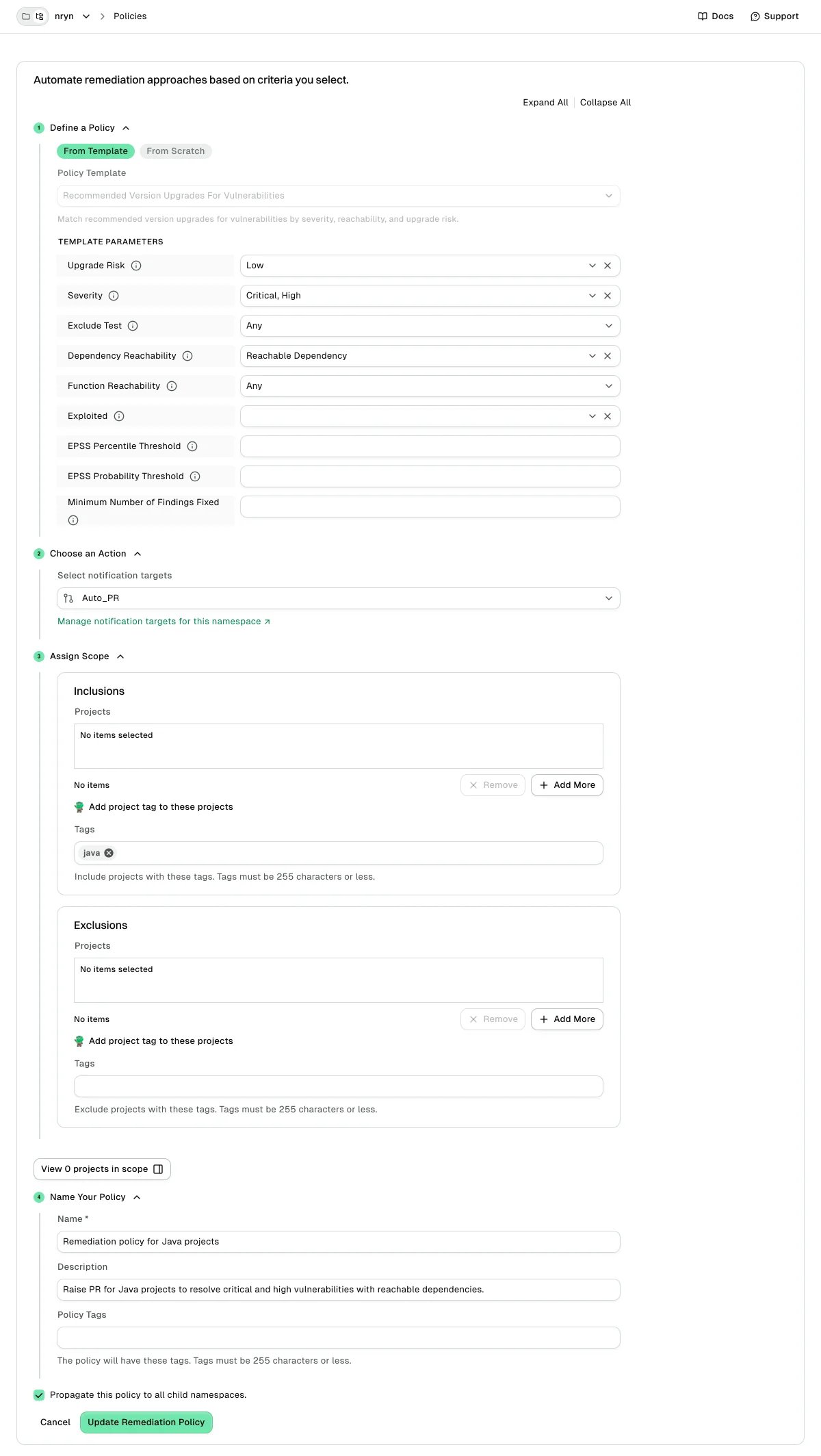
Turn off Remediation PRs for a scan profile
Remediation actions are on by default for every scan profile. To stop Remediation PRs for the projects that use a scan profile, setENDOR_SCAN_REMEDIATION_ACTION to false under additional_environment_variables in the scan profile. See Configure automated scan parameters to set environment variables in a scan profile.
The
enable_remediation_action scan profile field is deprecated. Endor Labs ignores it, so setting it to false no longer turns off remediation actions.Remediation PRs support
Remediation PRs are supported for Java (with Gradle or Maven), Go (version 1.18 and higher), Python, .NET, and JavaScript.Remediation PRs support matrix
Limitations of Remediation PRs
Remediation PRs have the following limitations:- Maven projects that use
dependencyManagementtags and rely solely on dependency information in the parent pom file are not supported. - Gradle projects with convention files (Groovy files with
.gradleextension with any name) are not supported. - Gradle projects with resource catalogues (version defined in
.tomlfiles) are not supported. - Gradle projects that use Spring Framework plugins, such as the Spring Boot Gradle plugin, to manage dependency versions are not supported. These plugins handle versioning internally, so dependency versions are not explicitly declared in the Gradle manifest file.
- Go projects that use the
replacedirective ingo.modare not supported.replacedirectives are commonly used for local development, debugging, or patching dependencies. - JavaScript projects using npm and Yarn workspaces are not supported.
- .NET projects that use
packages.config, or central package management (Directory.Packages.props) together with aDirectory.Build.propsfile, are not supported. - Dependency names must match the case used in the manifest file.
- Updates to .NET dependencies with wildcard characters in their names are not supported.
Create a PR Remediation notification integration
The PR Remediation notification integration lets a remediation policy open PRs. One integration works for every supported SCM platform, and Endor Labs opens each PR on the platform of the project.- Select User menu > Integrations from the left sidebar.
-
Under Notifications, click Add for PR Remediation. If the namespace already has a PR Remediation integration, click Manage.
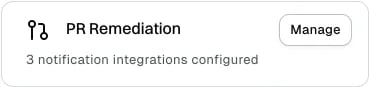
- Click Add Notification Integration.
- Enter a name and description for this integration.
- Select Enable PR Notification Integration for Remediations. Endor Labs opens Remediation PRs only when you select this option.
-
Optional: Clear Propagate this notification target to all child namespaces to apply the integration to this namespace only. The option is selected by default.
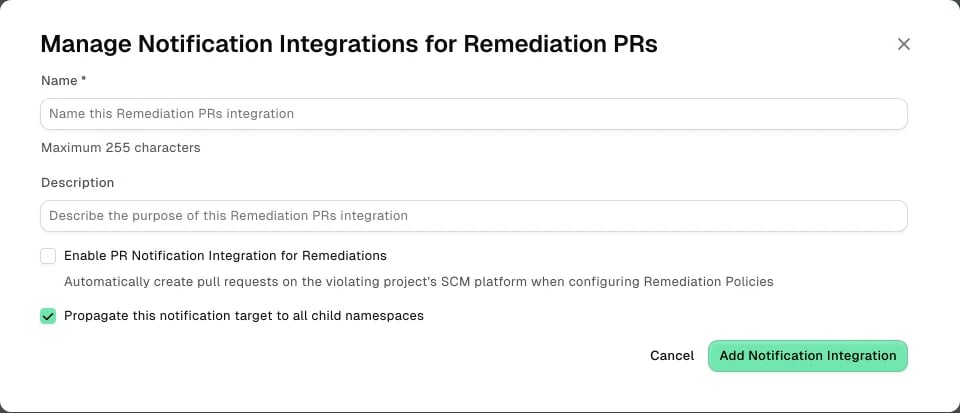
- Click Add Notification Integration.
The GitHub PR for Remediations integration is no longer available. Use a PR Remediation integration in your remediation policies.
View remediation PRs
Each Remediation PR contains version changes, vulnerability details, and compatibility analysis. The following steps use GitHub as an example. The PR shows the same details on the other platforms.- Open your repository in GitHub.
-
Select Pull Requests to view all the remediation PRs in the repository.

-
Select a PR to view its details.
-
Select Conversation to view the version changes, security impact, fixed vulnerabilities, and potential risks, providing context to assess the upgrade.

-
Select Files changed to view the changes made to the manifest files.

-
Select Conversation to view the version changes, security impact, fixed vulnerabilities, and potential risks, providing context to assess the upgrade.