

ImportantContainer scanning now has its own dedicated command:
endorctl container scan.The endorctl scan --container commands are deprecated and will be removed after a three-month deprecation period.Migrate to the endorctl container scan command to ensure continued compatibility. For more details, see Container scan commands migration guide.- Operating system packages: Packages installed through the container’s base OS package manager.
- Programming language packages: packages installed through language-specific package managers.
- Libraries and dependencies: Static and dynamic libraries and runtime dependencies required by the application.
How Endor Labs derives container findings
Endor Labs’ container scanning results rely on OVAL feeds from distributions. OVAL feeds provide accurate and vetted vulnerability data, while excluding disputed or irrelevant entries. OS dependency results are based on data from distribution developers. For language package dependencies, we complement published data with our proprietary research. Endor Labs fetches the container image from a container registry or loads it from a local file to scan containers. It then proceeds to extract the layers of the container image. It traverses the filesystem of each layer to identify files and directories. It looks for known package manager and metadata files to gather information about installed packages and their versions. It identifies the components and dependencies within the image and presents the findings in CLI and the Endor Labs user interface. Endor Labs categorizes the severity of vulnerabilities detected in container scans as follows:- Use the severity assigned by the distribution, if it exists.
- Use the NVD severity if the distribution does not provide the severity.
- Report the vulnerability as
Mediumif there is no severity assigned by the distribution, or the NVD severity is not known or can’t be matched.
Discover base images of containers
A container image is often built on a base image, a foundational layer that includes an operating system and other essential components. Knowing which vulnerabilities come from the base image and which come from your application layers helps you decide where to fix them. During each container scan, Endor Labs looks for the base image in the following order and stops at the first match:1
Previously scanned images
Matches the image’s layers against base images already scanned in your namespace. If several previously scanned base images match, Endor Labs selects the one that shares the most layers with your image, which is usually its direct parent. To select a different one, pass its name with
--base-image-name.2
Local container runtime
Looks for an image in your local container runtime whose layers form the start of the scanned image.
3
Image label
Reads the
org.opencontainers.image.base.name label from the image.4
Scan flags
Uses the base image name from
--base-image-name, or from the Dockerfile set with --dockerfile-path.5
Public images
Looks up public Docker Hub images whose layers match the image.
--base-image-scan-project flag.
--base-image-scan flag to false.
Specify the base image
Automatic detection may not find the base image if it is not in your local container runtime, such as a CI pipeline that scans a tar file. In these cases, use any of the following methods:- Scan sequence: Scan the base image first. Later scans of images built on that base image match it automatically.
-
Dockerfile label: Set the label directly in your Dockerfile with a command such as
LABEL org.opencontainers.image.base.name="openjdk:17-slim". -
Build time label: Include the base image label during the build process with the
--labelflag. Specify the base image and, optionally, its exact version through the SHA256 hash. -
Base image name flag: Use the
--base-image-nameflag to name the base image at scan time. Endor Labs uses it to choose between base image names when it finds more than one, and as a fallback when no other source identifies the base image. -
Dockerfile path flag: Use the
--dockerfile-pathflag to read the base image name from the Dockerfile that built the application image.--dockerfile-pathreads only the firstFROMinstruction. For a multi-stage build, use--base-image-nameto name the base image of the final stage.
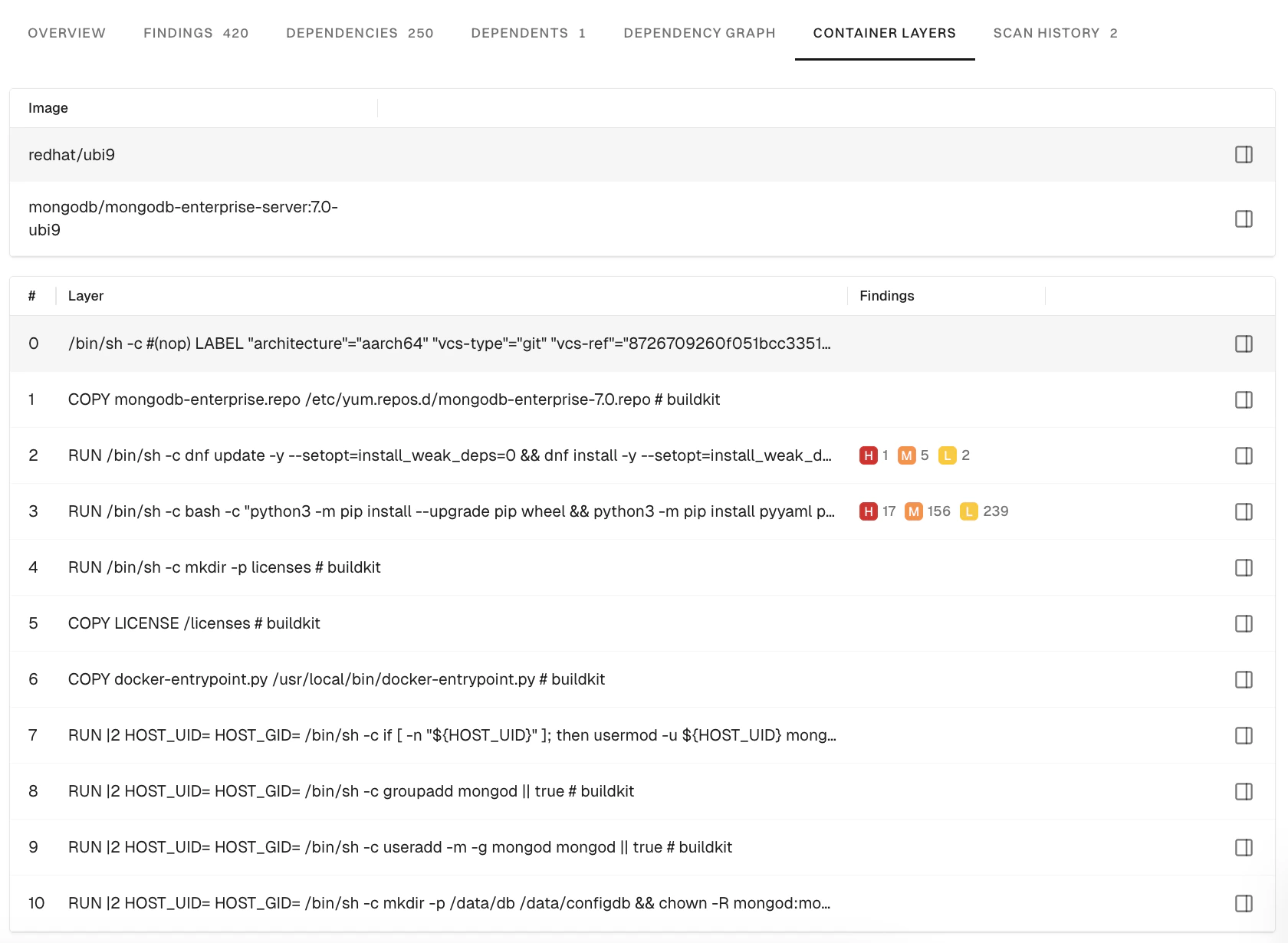
Remediate base image vulnerabilities
After you identify and scan the base image, you can act on the vulnerabilities it introduces. Base image remediation compares your current base image against newer versions, then shows how many findings each update resolves and how safe it is to adopt. Use it to choose the safest upgrade. See Base image remediation.Compare findings across builds
Incremental container scanning compares a new build of a container image against a baseline scan and reports only what changed: the findings the build introduced, fixed, or shares with the baseline. You can also suppress the shared findings so each scan shows only what the build introduced. See Incremental container scanning to learn more.Verify access to container registries
If the container image is in a private Docker registry, you must authenticate the container client before the scan. Here are a few commands to authenticate the container client.Authenticate to a Docker registry
Authenticate to a Docker registry
Authenticate to a Podman registry
Authenticate to a Podman registry
Authenticate with containerd
Authenticate with containerd
You must configure the containerd config file to authenticate with the container registry.Learn more about containerd authentication
Supported languages and package managers
The dependencies associated with the following list of components are identified in the endorctl scan. Endor Labs recognizes only the installed dependencies. Declared but uninstalled dependencies in the container image are not recognized.Limitations of container findings
- Scanning Windows containers is not supported.
- Docker file scans are not currently supported.
- Container registry direct integrations are not currently supported.
- Support for scanning binary files inside a container is limited.
- Endor scores are not calculated for findings reported in the container scan.