Endor Labs Documentation home page
Search...
⌘K
Ask AI
⌘I
Start free
Sign in
Documentation
Developers & API
Release Notes
Endor Labs Documentation home page
Search...
Navigation
SAST Rules
Edit a SAST rule
Introduction
About Endor Labs
Getting started
Endor Labs user interface
Docs MCP server
Setup & Deployment
Deployment methods
SCM Integrations
Scan from your IDE
Endor Outpost
MCP Server
Skills
endorctl CLI
CI/CD Integration
Inventory & Insights
Overview
Projects
Findings
Packages
Dashboards
Scan history
Dependencies
PR runs
SBOM
Notifications
Namespaces
Scan with Endor Labs
Scan types
SCA
Scan Profiles
SAST
Overview
SAST Rules
Overview
Clone a SAST rule
Create a SAST rule
Edit a SAST rule
Import SAST rules
Add metadata to a SAST rule
Run a SAST scan
Create Exception Policy for SAST Findings
View SAST Findings
Secrets Detection
Container Scanning
Malware detection
AI Models
OSS Licenses
RSPM
Pull Request scans
Bazel
Working with monorepos
Risk Remediation
Overview
Upgrade impact analysis
Endor Patches
Automated Pull Requests
Integrations
Integrate with Endor Labs
Package Repositories
SCM Integrations
Webhooks
Package Firewall
Microsoft Defender for Cloud
Jira
Vanta
Data exporters
Email
Slack
Third-party integrations
AI Security & Governance
MCP Server
Skills
AI Security Review
Agentic UI (AppSec Assistant)
AI Model Discovery
AI model scores
Platform Administration
Overview
Access to Endor Labs
Manage API keys
Policies
System settings
Namespaces
Proxy server settings
Best Practices
Overview
Branches and workflows
API key management
Scoping scans
Jira integration
GitHub Security Campaign
Build tools
Project filters
Dependency filters
Troubleshooting
Research Open Source Risks
Overview
Search for Open Source Packages
Endor Labs Vulnerability Database
Trust & Compliance
Trust & Compliance
Scan with Endor Labs
SAST
SAST Rules
Edit a SAST rule
Copy page
Copy page
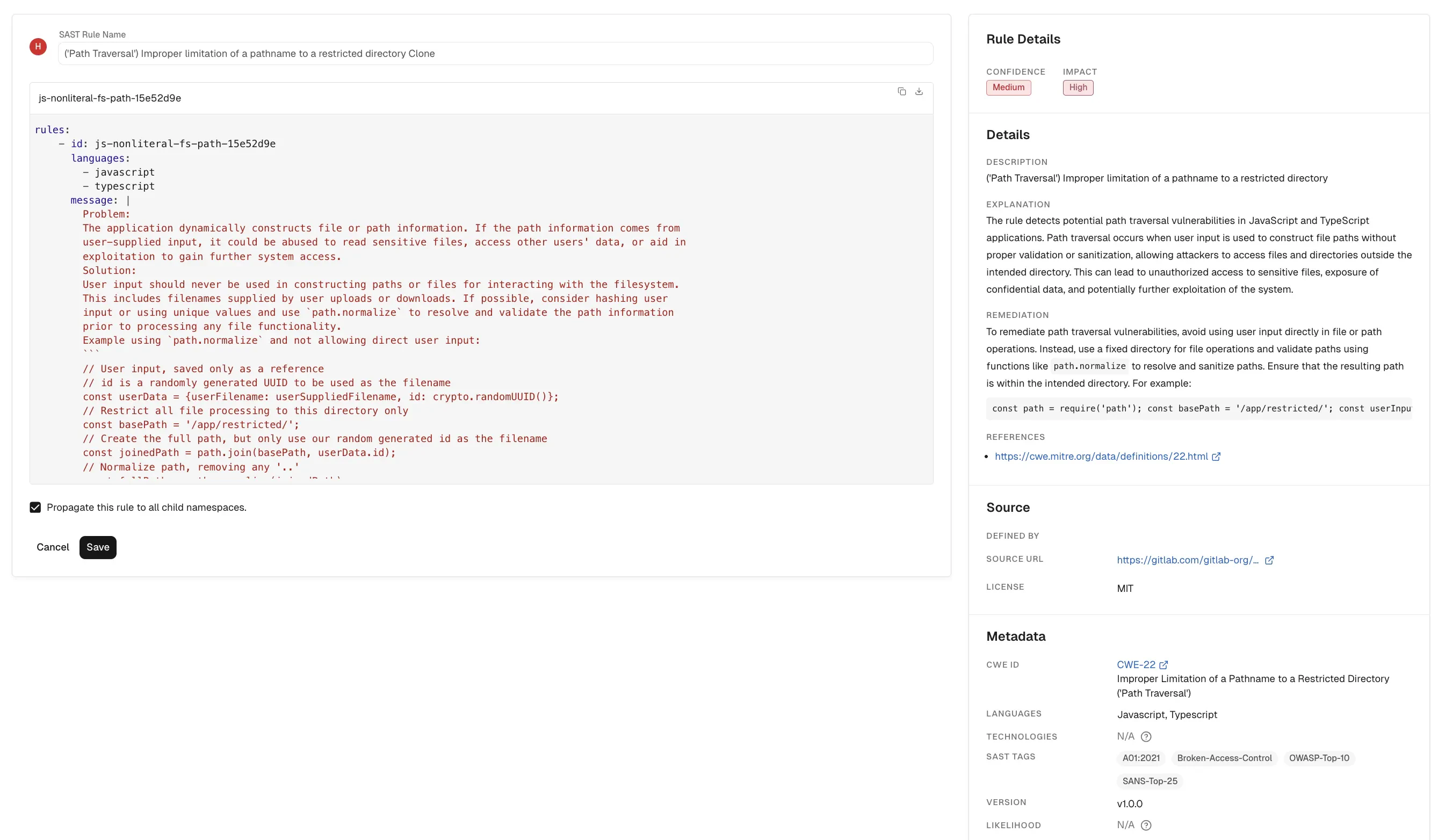
You can edit only the custom SAST rules. You cannot edit or delete Endor Labs or third-party rules.
To edit a SAST rule:
Select
Policies & Rules
>
SAST RULES
from the left sidebar.
Click edit next to a rule and select
Edit Rule
.
After you complete the edits, click
Save
to save the rule. You can also delete or disable a rule from the Edit SAST Rule screen.
Create a SAST rule
Previous
Import SAST rules
Next
⌘I
Assistant
Responses are generated using AI and may contain mistakes.