

-
Select Findings > SAST from the left sidebar.
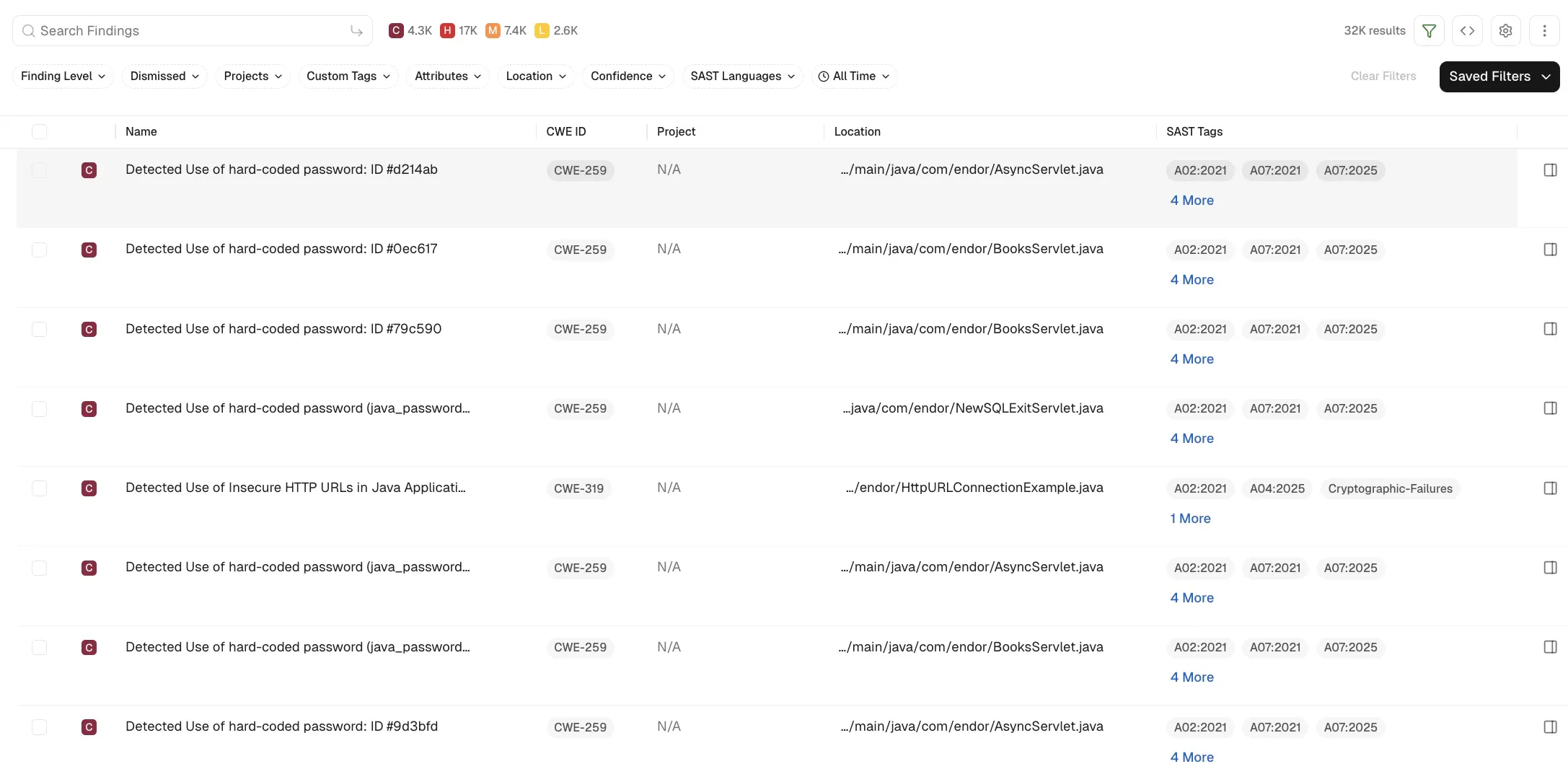
- You can use the filters to further refine the SAST findings.
-
Select a row to view finding details.
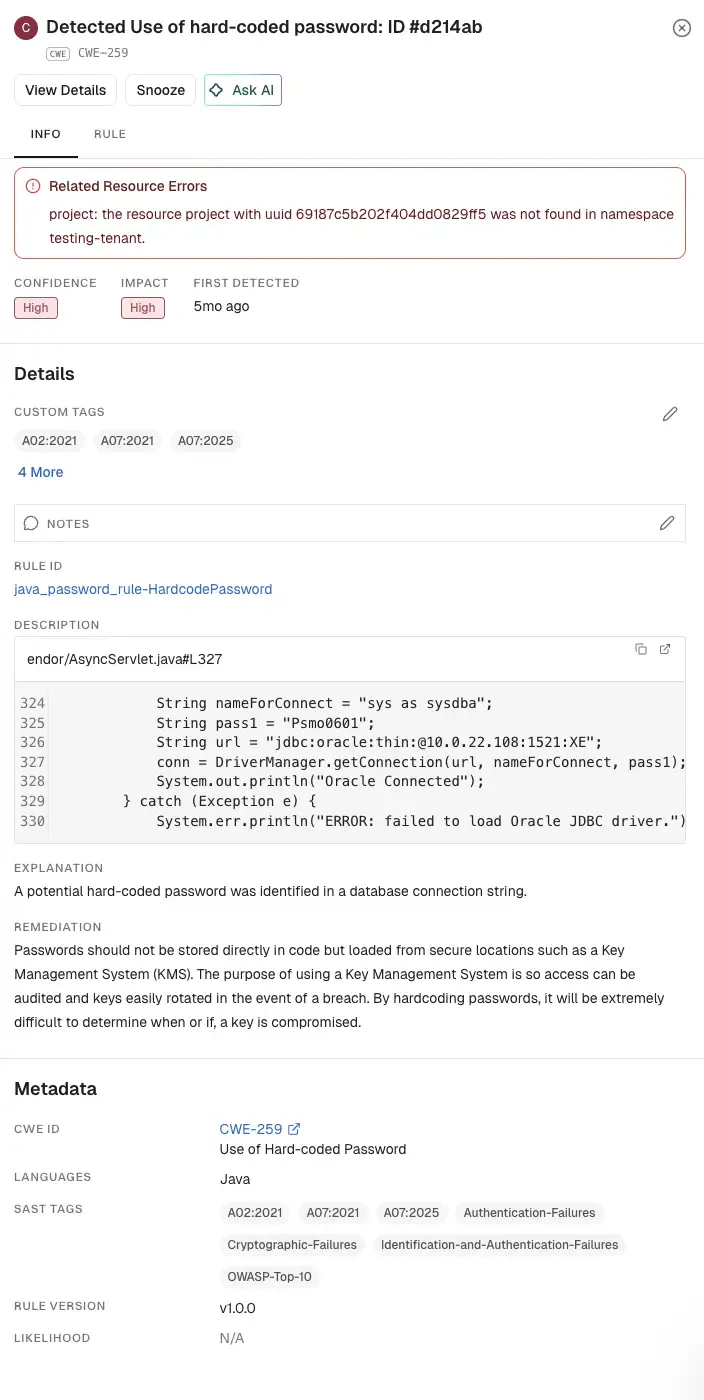
-
Select Rule to view the rule that triggered the finding.
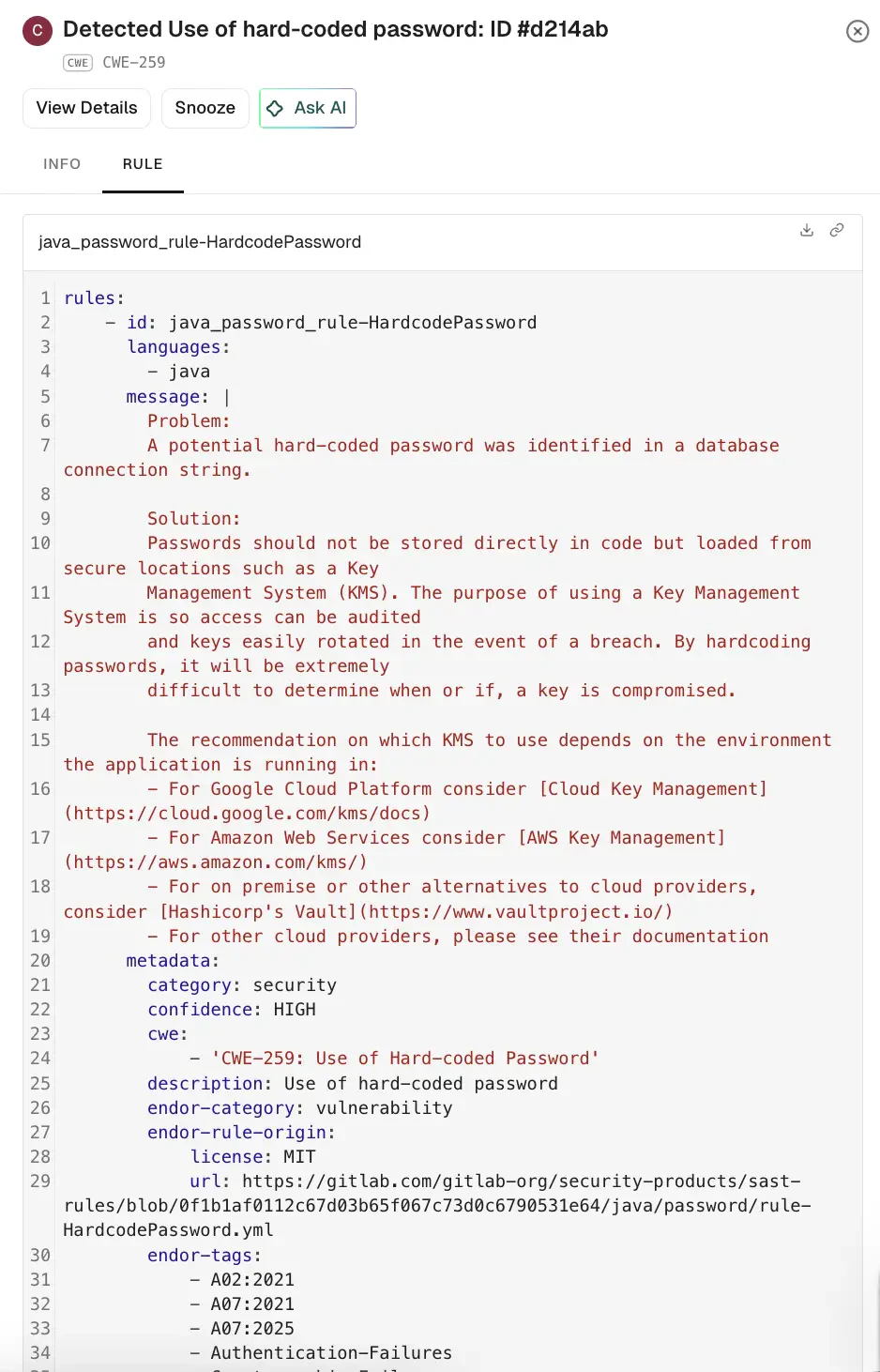
-
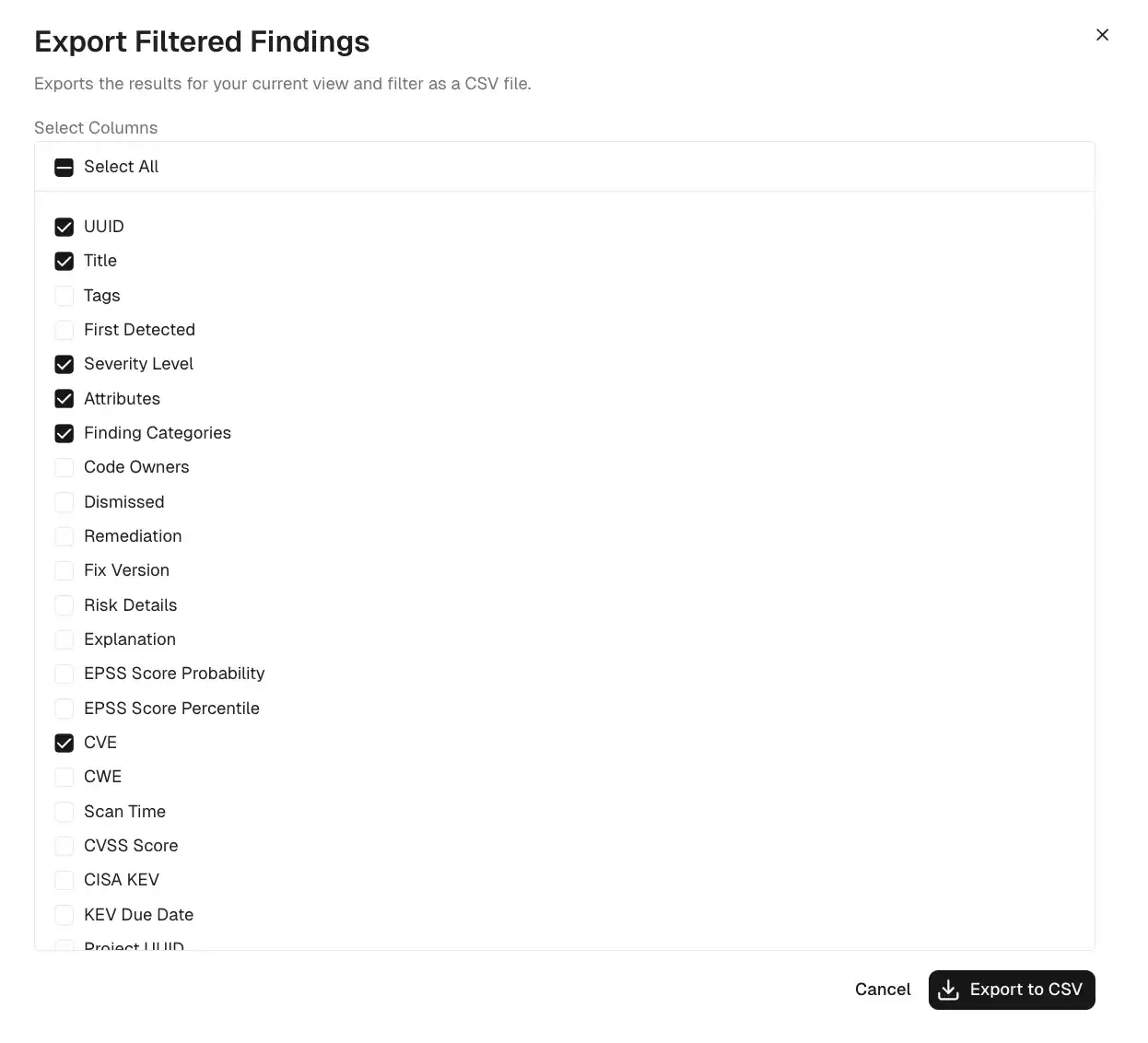
To export findings as a CSV file, select the findings, click the vertical three dots, and select Export Selected or Export All. See export findings to learn more.
View SAST Findings
View, filter, and export SAST findings in Endor Labs.
You can view SAST findings in the Findings page.
Was this page helpful?