

config.yml. The config.yml file is located in a folder called .circleci at the root of your project which defines the entire pipeline.
To integrate Endor Labs into your CircleCI CI/CD processes:
- Authenticate to Endor Labs
- Install your build toolchain
- Build your code
- Scan with Endor Labs
Authenticate to Endor Labs
Endor Labs recommends using keyless authentication in continuous integration environments. Keyless Authentication is more secure and reduces the cost of secret rotation but is only available on self-hosted runners in CircleCI. To configure keyless authentication see the keyless authentication documentation If you choose not to use keyless authentication you can configure an API key and secret in CircleCI for authentication using the following steps. See managing API keys for more information on generating an API key for Endor Labs.- In your CircleCI environment, navigate to Organizational Settings.
- From Contexts and select Create Context.
- Enter a context name for reference such as
endorlabsor reuse an existing context. - Click into your new or existing context. Add any project restrictions and select Add Environment Variable.
- In Environment Variable Name, enter ENDOR_API_CREDENTIALS_KEY and in Value, enter the Endor Labs API Key.
- Select Add Environment Variable.
- Repeat the previous 3 steps to add your API key secret as the environment variable ENDOR_API_CREDENTIALS_SECRET. Have the name of the context handy to reference in the workflows later.
Configure your CircleCI pipeline
ImportantCircleCI may check out commits in a detached HEAD state, which can lead to fragmented branch tracking in Endor Labs. See Set up branch tracking in CircleCI to configure proper branch context.
- Create a
.cirlceci/config.ymlfile in your repository if you do not already have one. - In your
config.ymlfile customize the job configuration based on your project’s requirements using one of the examples, simple CircleCI configuration or advanced CircleCI configuration. - Create two workflows called
build_and_watch_endorlabsandbuild_and_test_endorlabs. - Ensure that the context you created is part of the workflow if you are not using keyless authentication.
- Adjust the image field to conform to the required build tools for constructing your software packages, and synchronize your build steps with those of your project.
- Update your Endor Labs tenant namespace to the appropriate namespace for your project.
- Update your default branch from main if you do not use main as the default branch name.
- Modify any dependency or artifact caches to align with the languages and caches used by your project.
Examples
Use the following examples to get started. Make sure to customize this job with your specific build environment and build steps.If you use Endor Labs with an EU tenant, use
https://api.eu.endorlabs.com instead of https://api.endorlabs.com.Simple CircleCI configuration
Advanced CircleCI configuration
The following example is an advanced implementation of Endor Labs in CircleCI which includes multiple optional performance optimizations and job maintainability updates. This includes:- Caching and restoring caches of jobs and artifacts to improve performance. Caches should be modified to reflect the build artifacts and dependencies of your project.
- Segmenting jobs and scans.
SAST scans in CircleCI
You can run SAST scans in your CircleCI pipeline to identify security vulnerabilities and code quality issues in your source code. SAST scanning analyzes your source code for potential security weaknesses based on enabled rules and generates findings based on your configured finding policies.SAST scan
To run a SAST scan, add the--sast flag to your endorctl scan command.
AI SAST detection agent scan
To run an AI SAST detection agent scan, add the--ai-sast flag to your endorctl scan command. The AI SAST detection agent identifies security vulnerabilities beyond traditional rule-based SAST detection.
Set up branch tracking in CircleCI
In Git, a detached HEAD state occurs when the repository checks out a specific commit instead of a branch reference. In this state, Git points the HEAD directly to a commit hash, without associating it with a named branch. As a result, actions performed, such as creating new commits or running automated scans, do not carry branch identity unless explicitly specified. Proper branch context enables Endor Labs to:- Associate scans with the correct branch
- Identify scans on the monitored default branch
- Track findings and display metrics accurately across branches
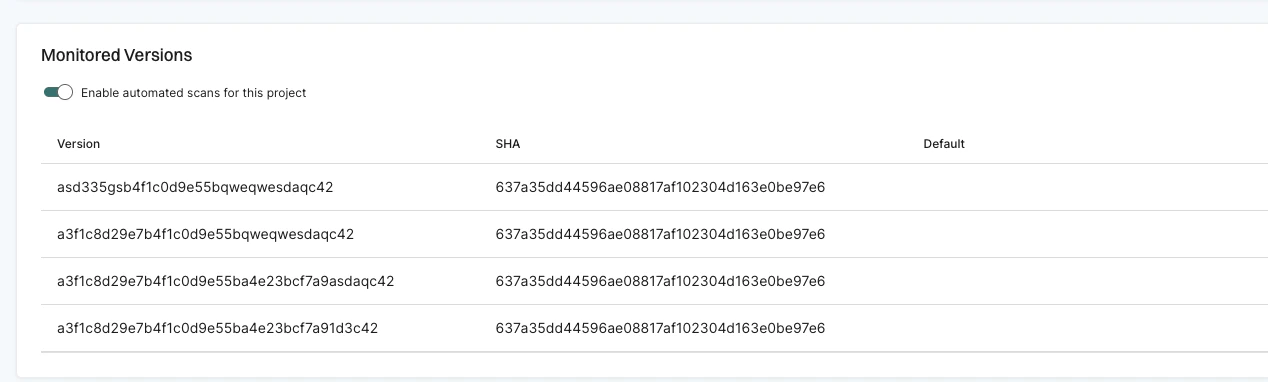
--detached-ref-name only to specify the branch name for a commit in detached HEAD state. This associates the commit with the correct branch without setting it as the default branch.
--detached-ref-name and --as-default-branch together when you want to associate the commit with a branch and set it as the default branch scan.