

Track findings in Jira
A finding is a security vulnerability in your source code. When Endor Labs scans a project, it analyzes its dependencies, which are the software packages the project relies on and generates findings. A package version is a specific release of a dependency, identified by a version number (for example,jwx v1.0.5).
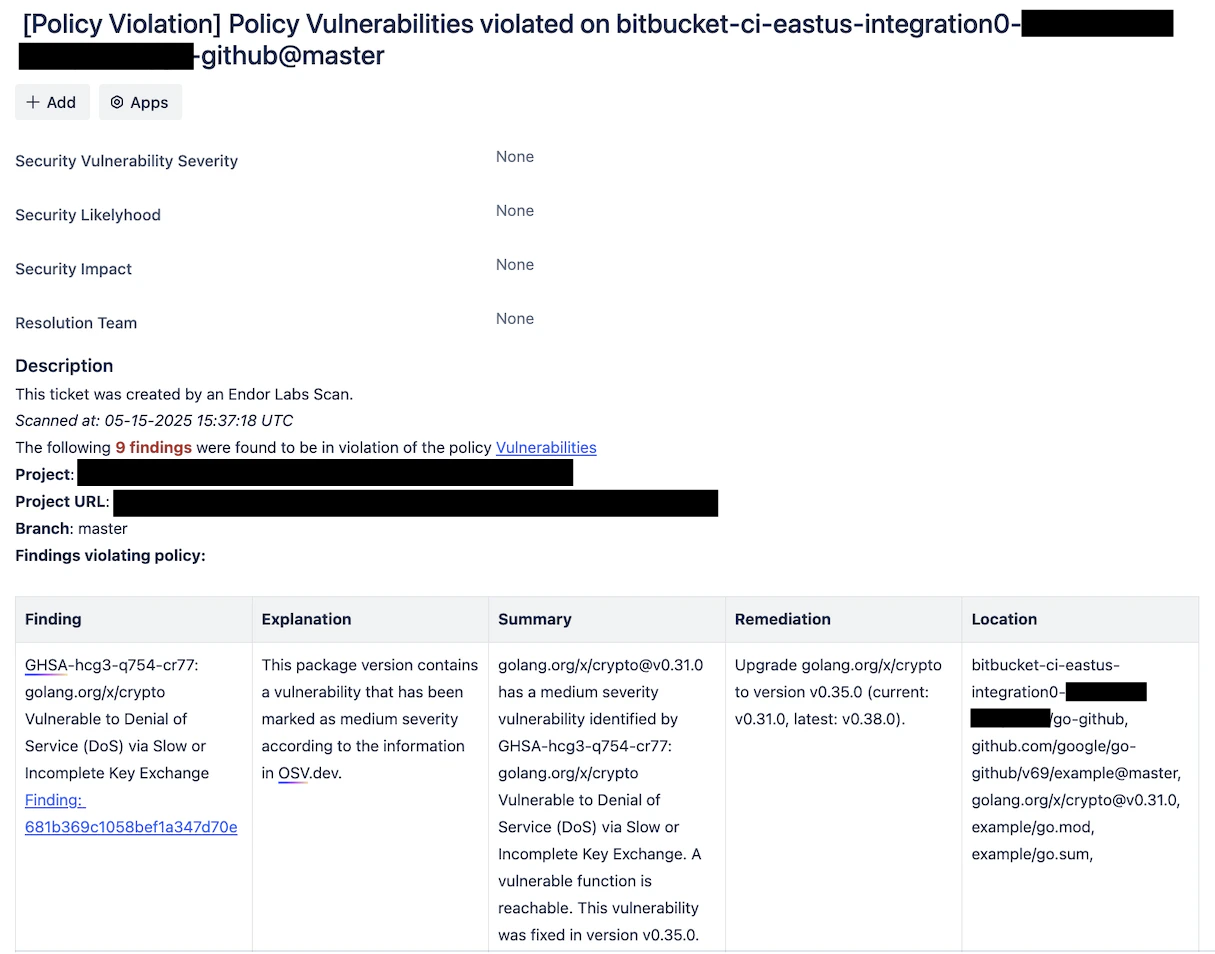
Endor Labs automatically creates a Jira ticket to track and address the issue when it identifies a finding. The ticket includes the project URL, branch, details about findings such as:
- Finding: A link to the identified vulnerability.
- Explanation: A brief description of the issue.
- Summary: Technical details about the vulnerability, versions affected, and packages impacted.
- Remediation: Recommended actions, such as upgrading to a secure version.
- Location: Exact file, package, dependency, and repository where Endor Labs identified the vulnerability.
- Task
- Sub-Task
- Bug
Choose the right notification aggregation type
Choose the appropriate notification aggregation type to organize security findings in Jira effectively. See Aggregation Types for more information.Project
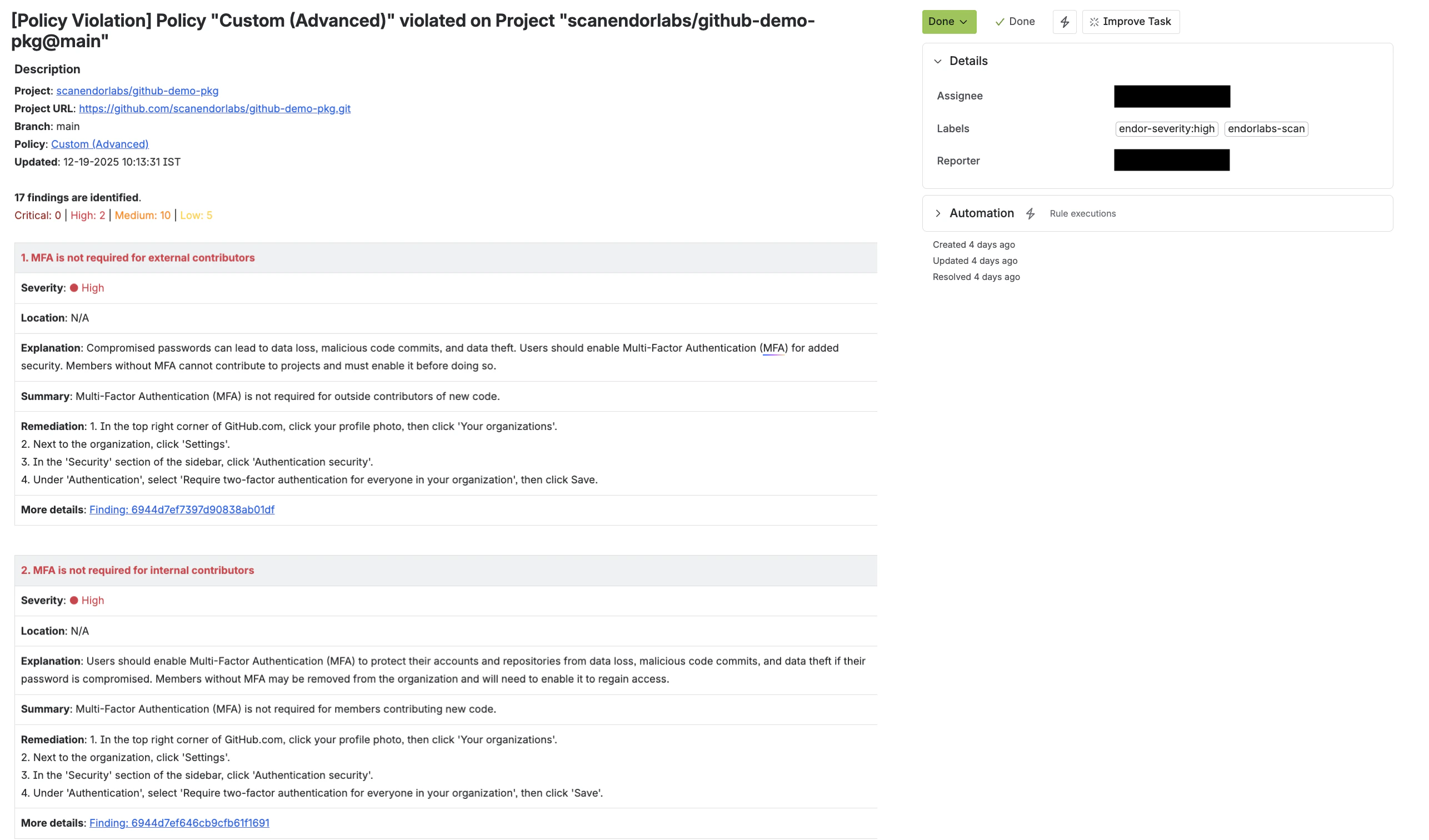
Use Project aggregation to receive a single Jira notification for all findings in a project. This groups all findings into one Jira ticket. It is ideal for teams that prefer a high-level view of issues. For example, the back-end team relies on libraries such asarchiver and jwx. Endor Labs compiles all findings from these libraries into a single Jira Task.
This approach helps the teams:
- Avoid excessive notifications and streamline remediation efforts.
- Manage all security related issues within their designated Jira project.
- Improve tracking and collaboration.
Dependency
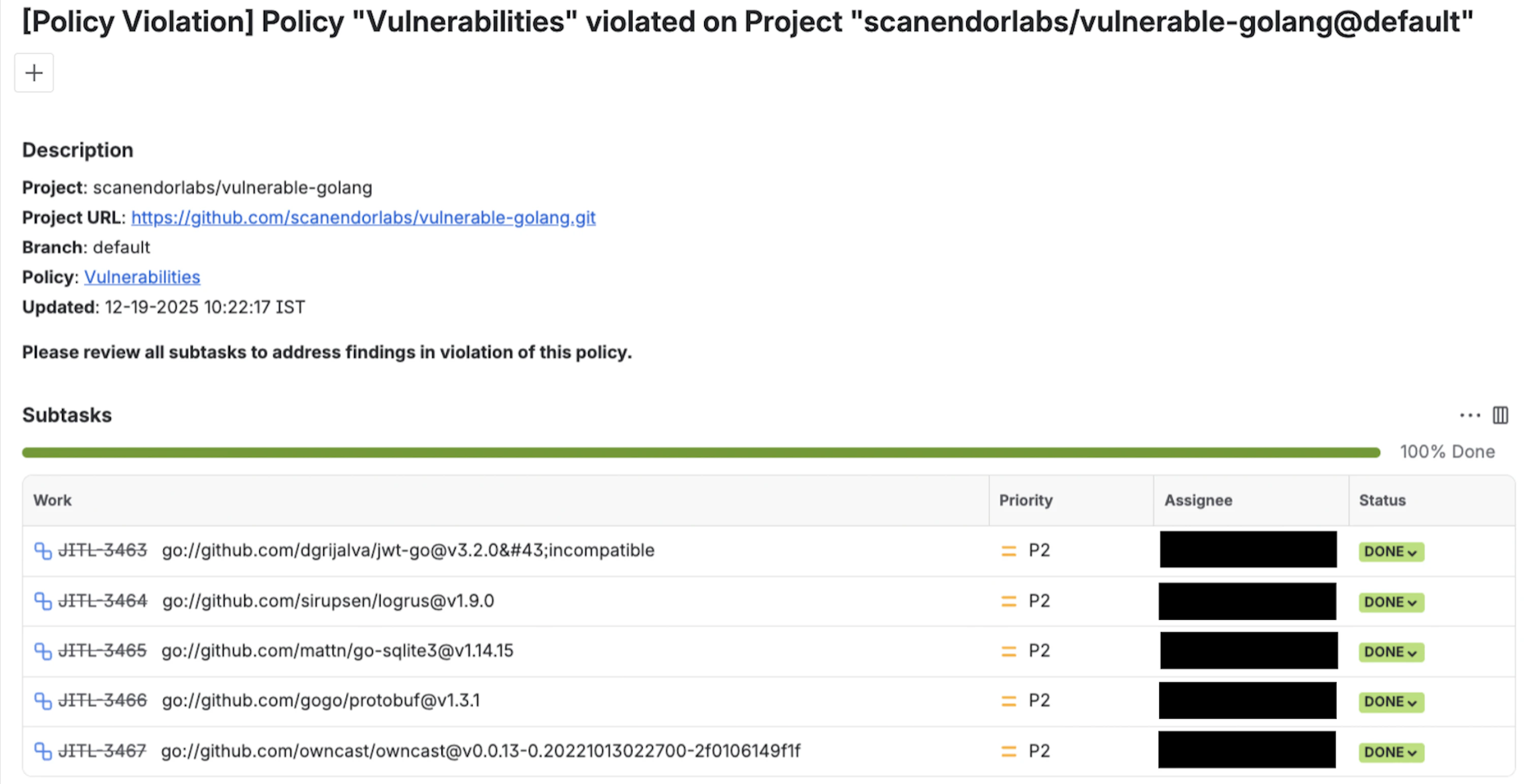
Use Dependency aggregation to receive separate notifications for each affected dependency in a project. Endor Labs creates a parent Jira ticket, with each dependency tracked as a Sub-Task with its findings. This approach is ideal for teams prioritizing security management at the dependency level. For example, the back-end team developing aGo application relies on libraries like archiver and jwx. When Endor Labs scans the project:
- Findings for
archiverare present in its Sub-Task. - Findings for
jwxare present in its Sub-Task.
- A clear division of responsibilities for efficient vulnerability tracking.
- Focused issue resolution without overwhelming teams.
- Granular visibility into security risks for targeted management.
Dependency per package version
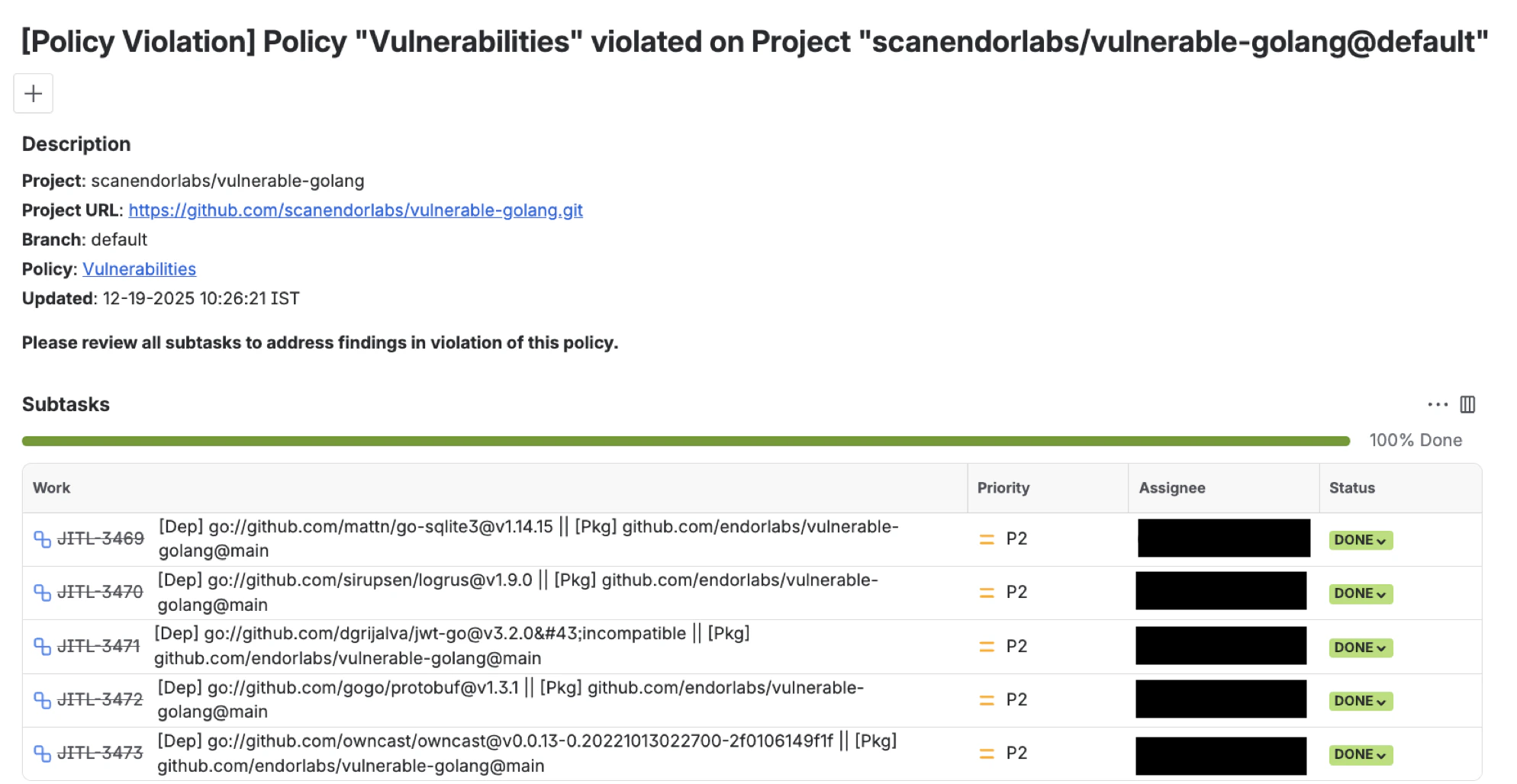
Use this to receive separate notifications for each affected package version. Each version has its own Sub-Task under a parent Jira ticket, with its findings present in the respective Sub-Task. For example, aGo project using the jwx library has multiple versions in use. Endor Labs creates a parent Jira ticket, with each affected version tracked as Sub-Tasks:
- Findings for
jwx v2.0.13are present in its Sub-Task. - Findings for
jwx v1.0.5are present in its Sub-Task.
- Apply security fixes precisely without triggering unnecessary updates.
- Reduce notification noise and focus on resolving issues in their specific dependencies.
- Maintain stability in machine learning workflows while managing vulnerabilities effectively.
None (Notify for each Finding)
Use this to receive a separate notification for every finding and create an individual Jira ticket for each finding. This aggregation type can produce a high volume of Jira tickets when many findings match the policy. This approach also provides granular tracking so teams can monitor and remediate each issue independently. For example, when you scan theapp-java-demo project with this aggregation type configured on the action policy, Endor Labs creates a separate Jira Task ticket for each finding detected in the project.
This approach helps the teams:
- Track the remediation status of each vulnerability individually.
- Assign findings to different team members for parallel resolution.
- Enable clear audit and compliance reporting with one-to-one mapping between findings and tickets.

Ensure you have a Jira instance set up on Jira Cloud or Jira Data Center before integrating with Endor Labs.
Jira tickets
Each Jira ticket contains specific labels, comments, and custom fields to provide context and streamline tracking.Labels
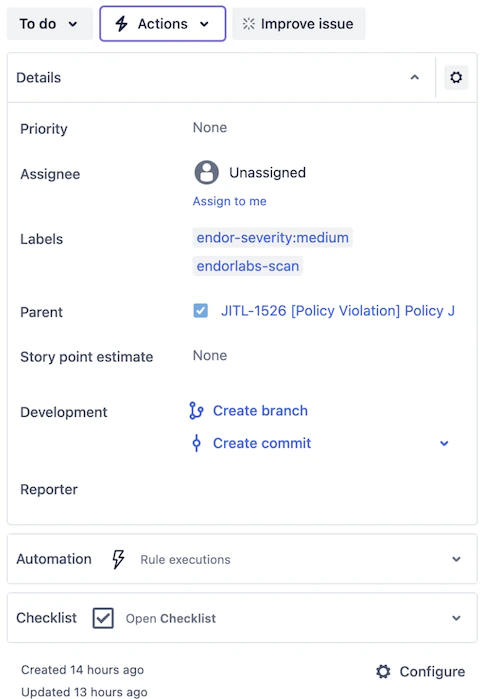
Endor Labs automatically assigns labels to Jira tickets to simplify the management of security issues. These labels appear in the right sidebar of the Jira ticket under Details. Endor Labs provides the following labels:endorlabs-scan: Assigned to every Jira ticket that an Endor Labs scan generates.
endor-severity: Indicates the severity of the associated finding, such as critical, high, medium, or low. If a ticket includes multiple findings with different severities, the label represents the highest severity among them.
In the following example, the ticket titled “Findings with no dependencies” includes the following labels:
endorlabs-scan: Identifies the ticket as part of an Endor Labs scan.
endor-severity:medium: Represents the severity of the detected finding.
Comments
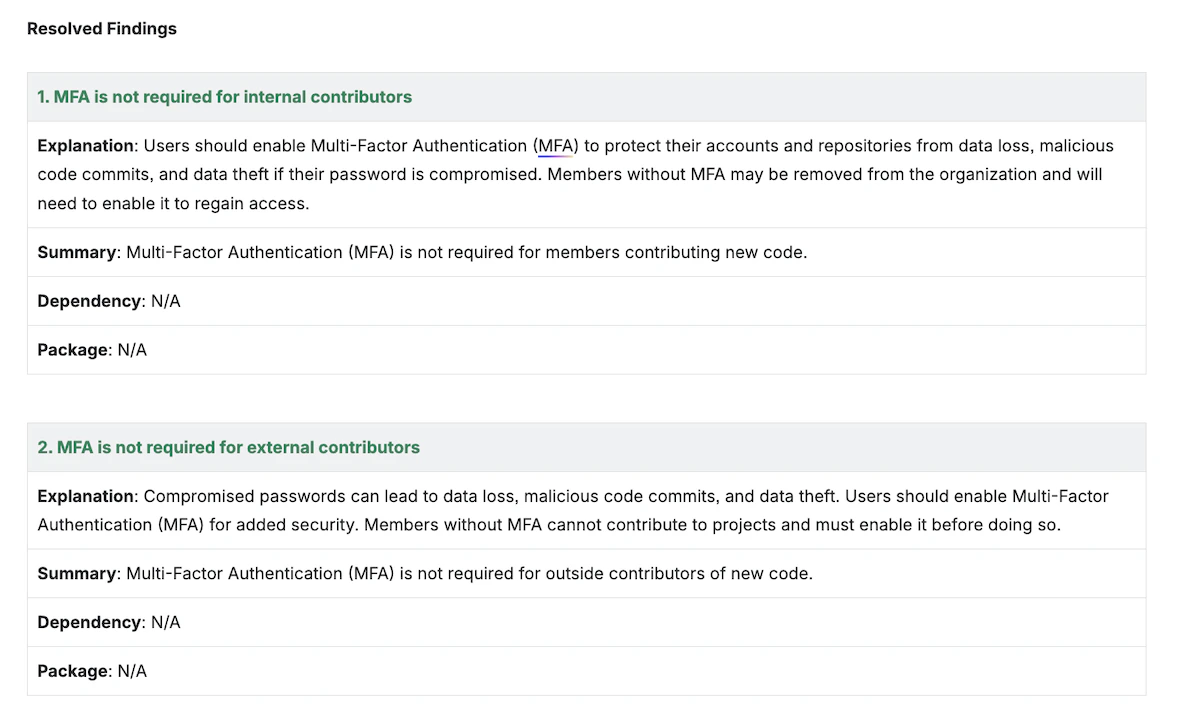
During future scans, Endor Labs updates the status of the findings in comments on your Jira ticket. When Endor Labs detects new findings, it adds a comment with their details.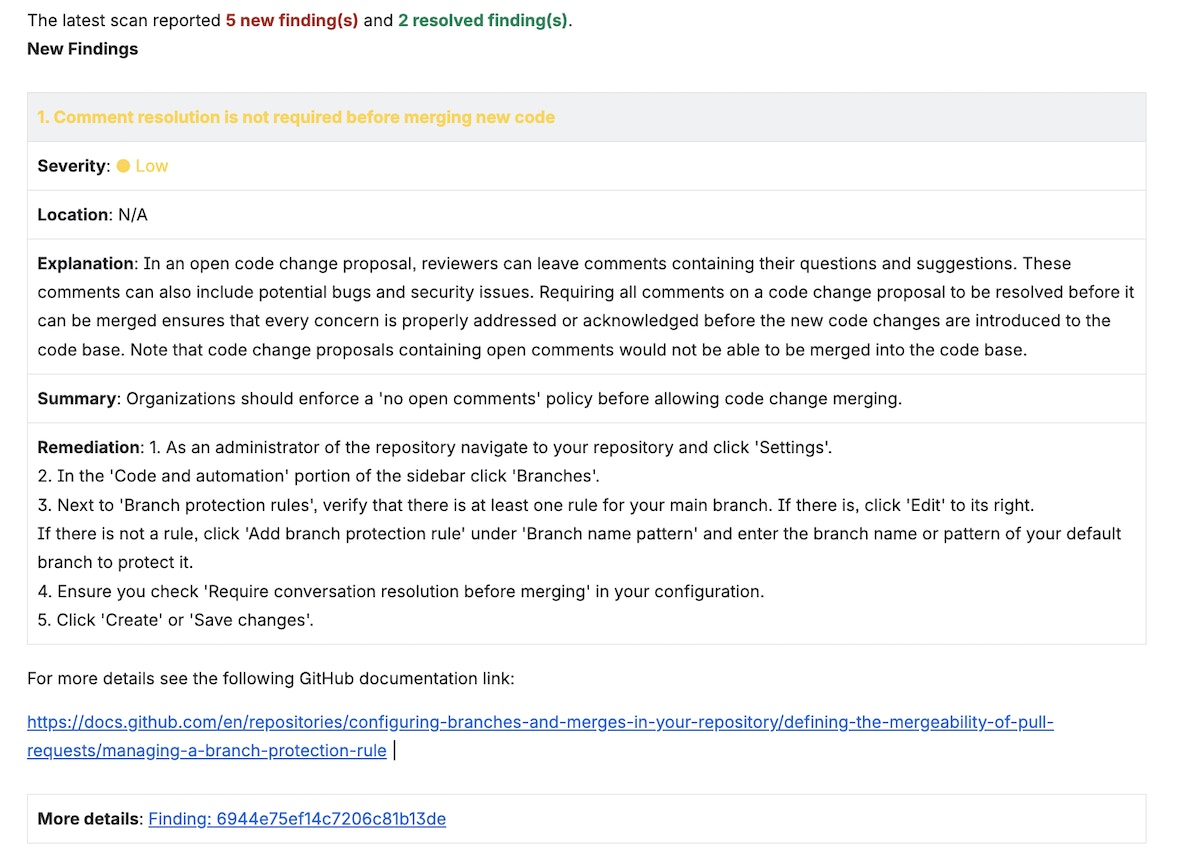
Components
Endor Labs automatically sets the Components field using values from your Jira project configured during the Jira integration with Endor Labs.-
For a team-managed Jira project, Endor Labs applies the configured component value to each ticket it creates.
In the following example,
Test DEPR Componentis the assigned components value.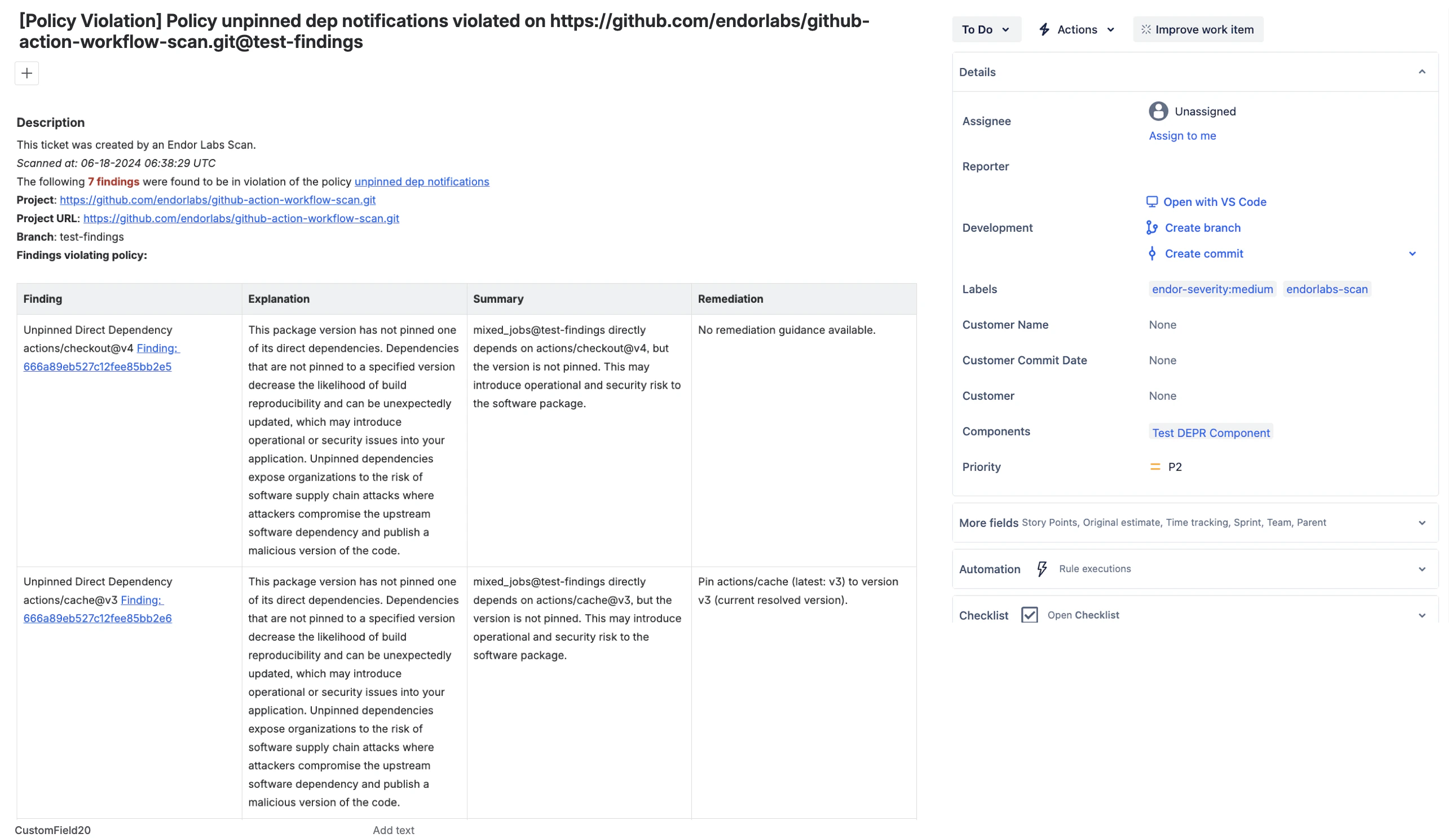
-
For a company-managed Jira project, Endor Labs applies all configured component values to each ticket it creates.
In the following example,
Test DEPR ComponentandTest UI Componentare the assigned components values.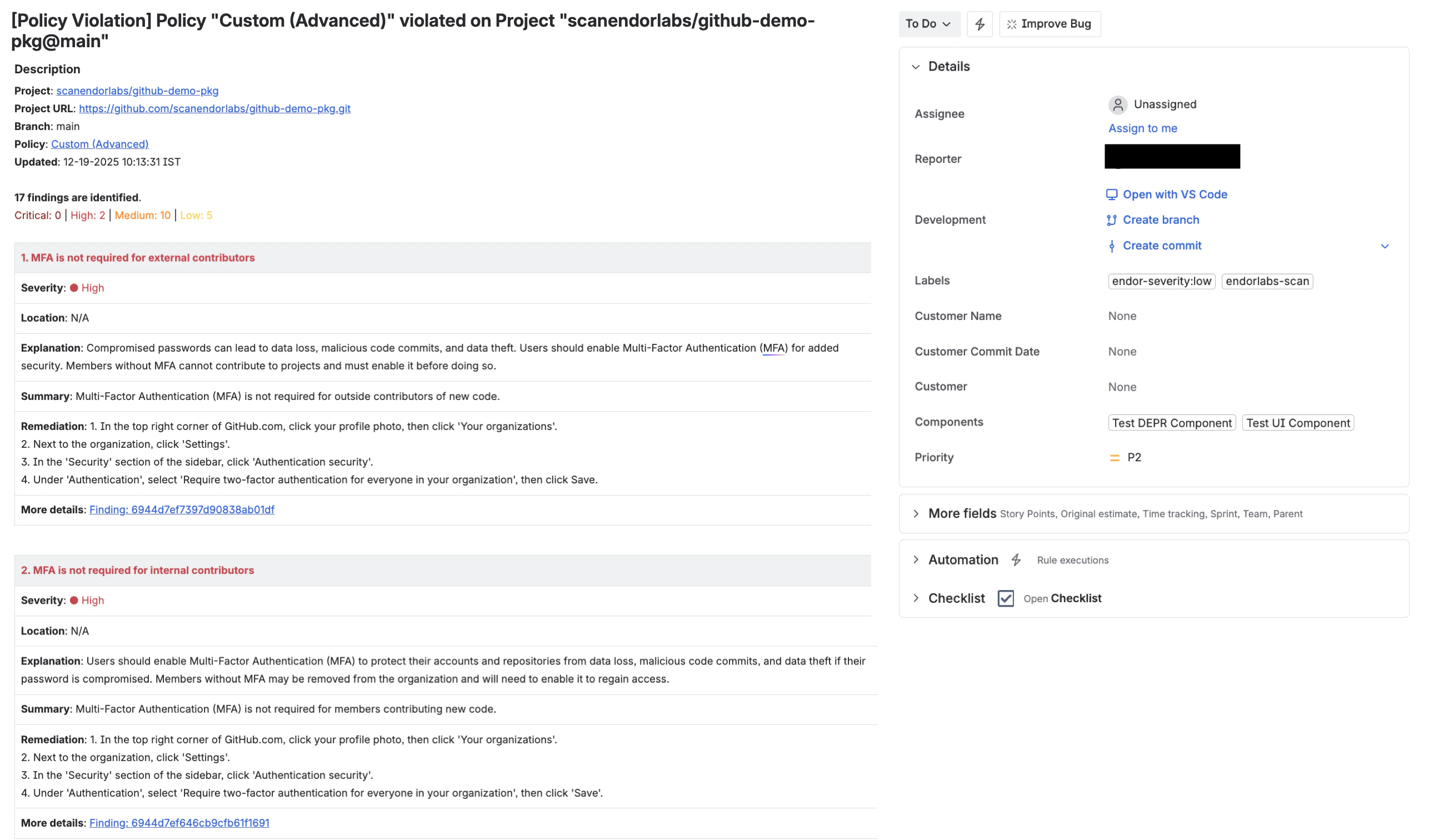
Considerations
Ensure your Jira board has a designated resolution state like Done, Fixed, etc. for Endor Labs to mark tickets as resolved. If no such state exists, the ticket remains unresolved. Ensure that tickets can transition from a beginning state, such as To Do, to a resolution state like Done without requiring intermediate states such as In Progress. If the workflow restricts direct movement, Endor Labs cannot move tickets between states, and you must update the status manually on your Jira board.FAQs
What permissions are required for Jira integration?
What permissions are required for Jira integration?
Jira integration requires only the minimum project-level permissions, such as: create issues, transition issues, assign issues, resolve issues, and add comments.
What happens if a Jira ticket is manually marked as Resolved in Jira?
What happens if a Jira ticket is manually marked as Resolved in Jira?
If you manually mark a Jira ticket as Resolved, Endor Labs skips that finding in future scans and removes it from the ticket.
What happens if we fix the security vulnerability?
What happens if we fix the security vulnerability?
Endor Labs marks the ticket as resolved in your Jira board after the next scan.
Can I change the project that I initially configured?
Can I change the project that I initially configured?
No. You must add a new Jira integration and then configure Endor Labs to the new project with a new API key.
What happens if I change the aggregation type?
What happens if I change the aggregation type?
Jira updates the grouping of findings in the board based on changes to the action policy’s aggregation type.
- Changing from Project to Dependency splits findings into separate Sub-tasks by dependency type.
- Changing from Project to Dependency per package version splits findings into Sub-tasks by package version.
- Changing from Dependency or Dependency per package version to Project merges all findings into a single Jira ticket.