

- Select Inventory from the left sidebar.
- Select HuggingFace Orgs.
-
You can view a list of models including their organization name, URL, and total model count.
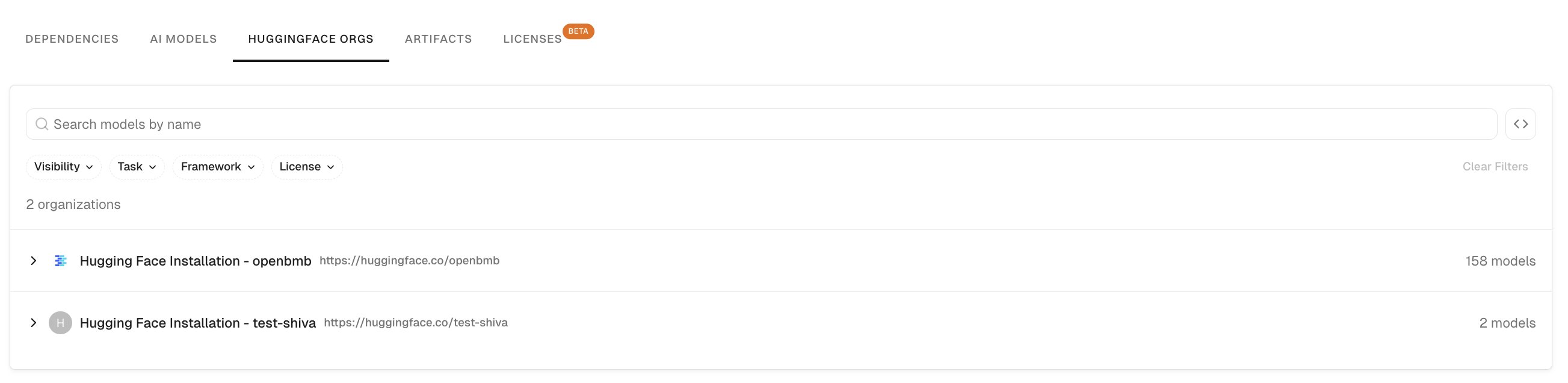
-
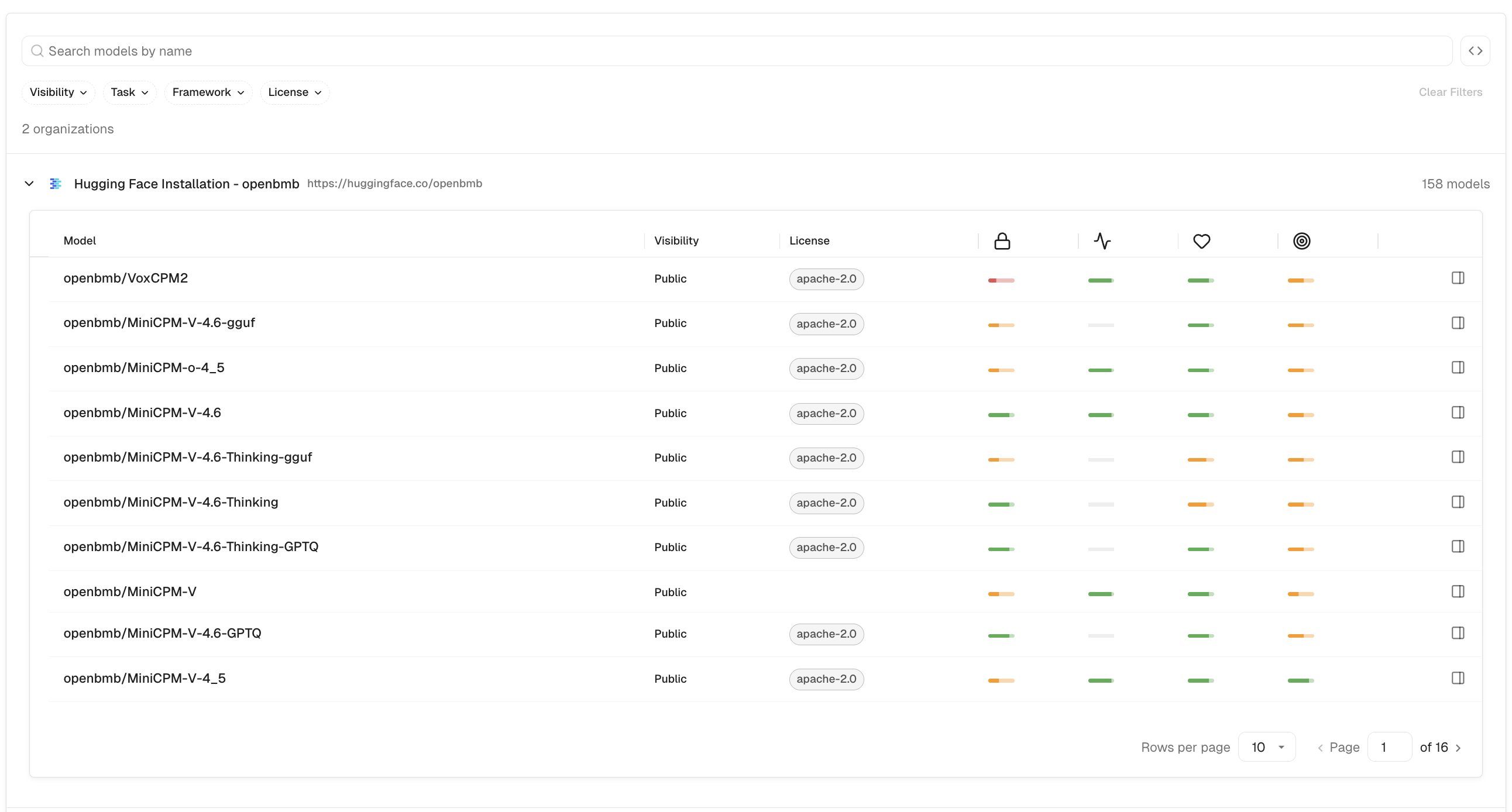
Select a model row to view the model details.
The model details include the following information:
- Model: The model name in
author/model-nameformat. - Visibility: Whether the model is public or private.
- License: The model’s declared license.
- Scores: Endor scores for security, activity, popularity, and quality. See AI model scores to learn how Endor Labs calculates each score.
- Model: The model name in
-
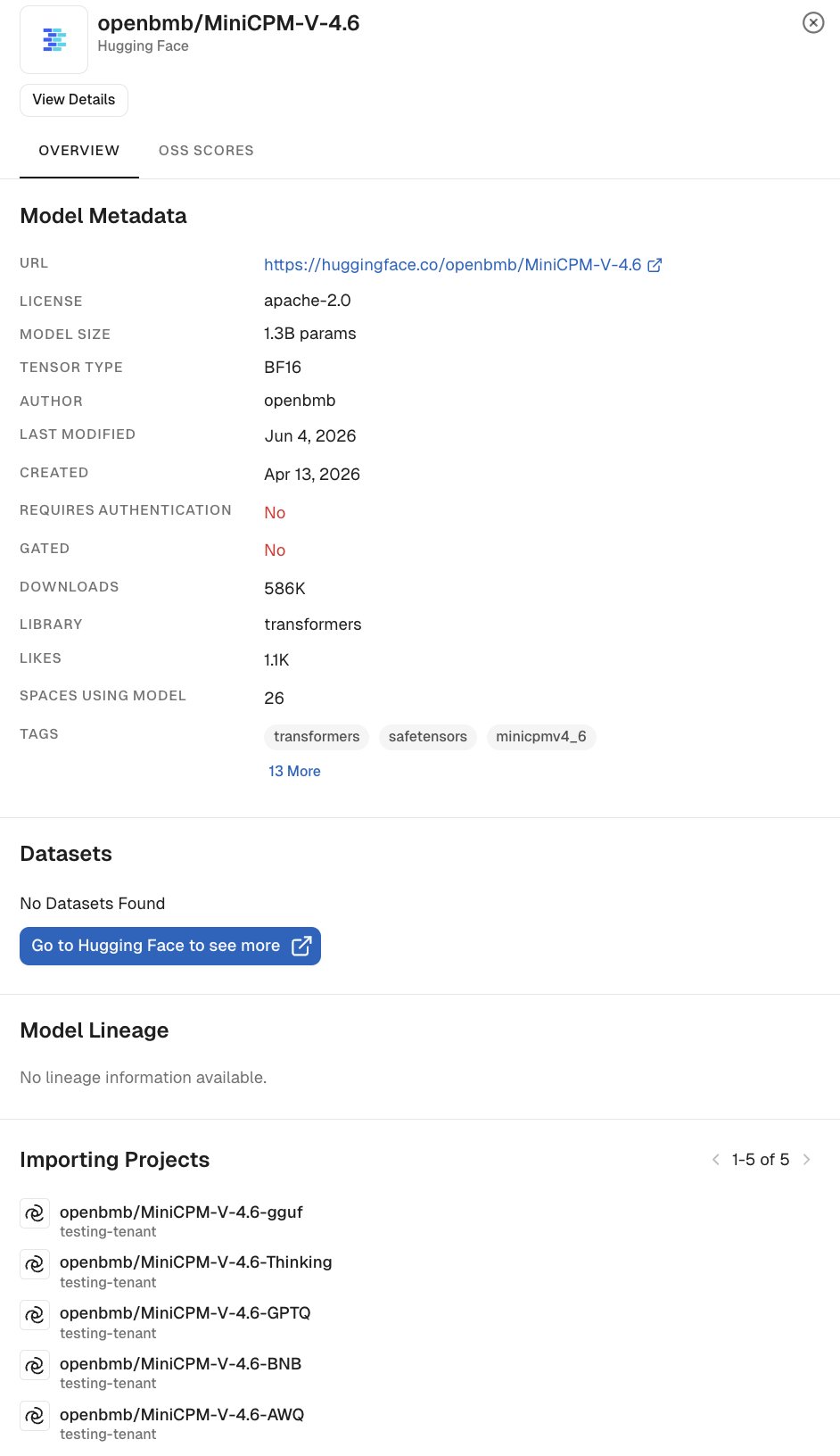
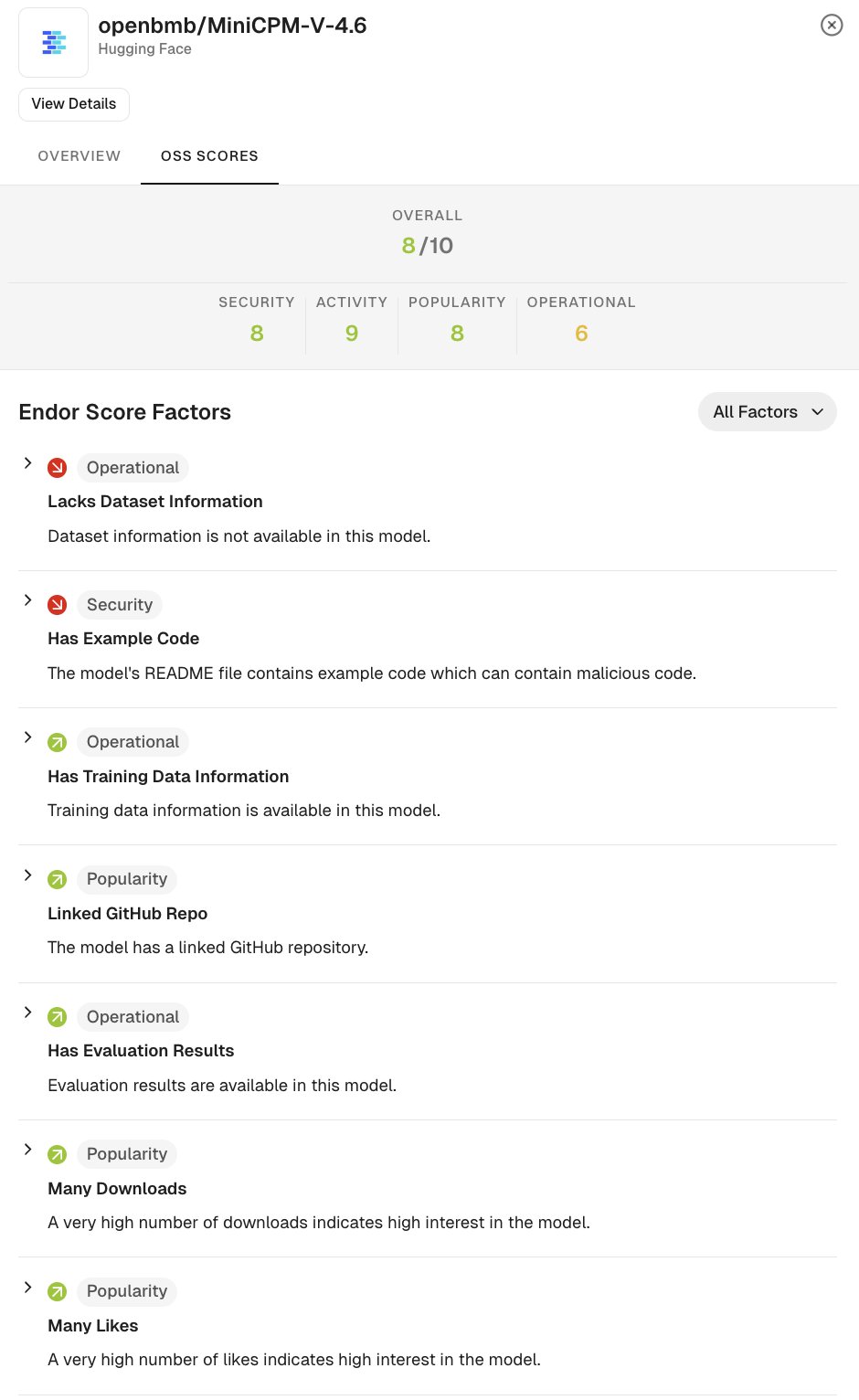
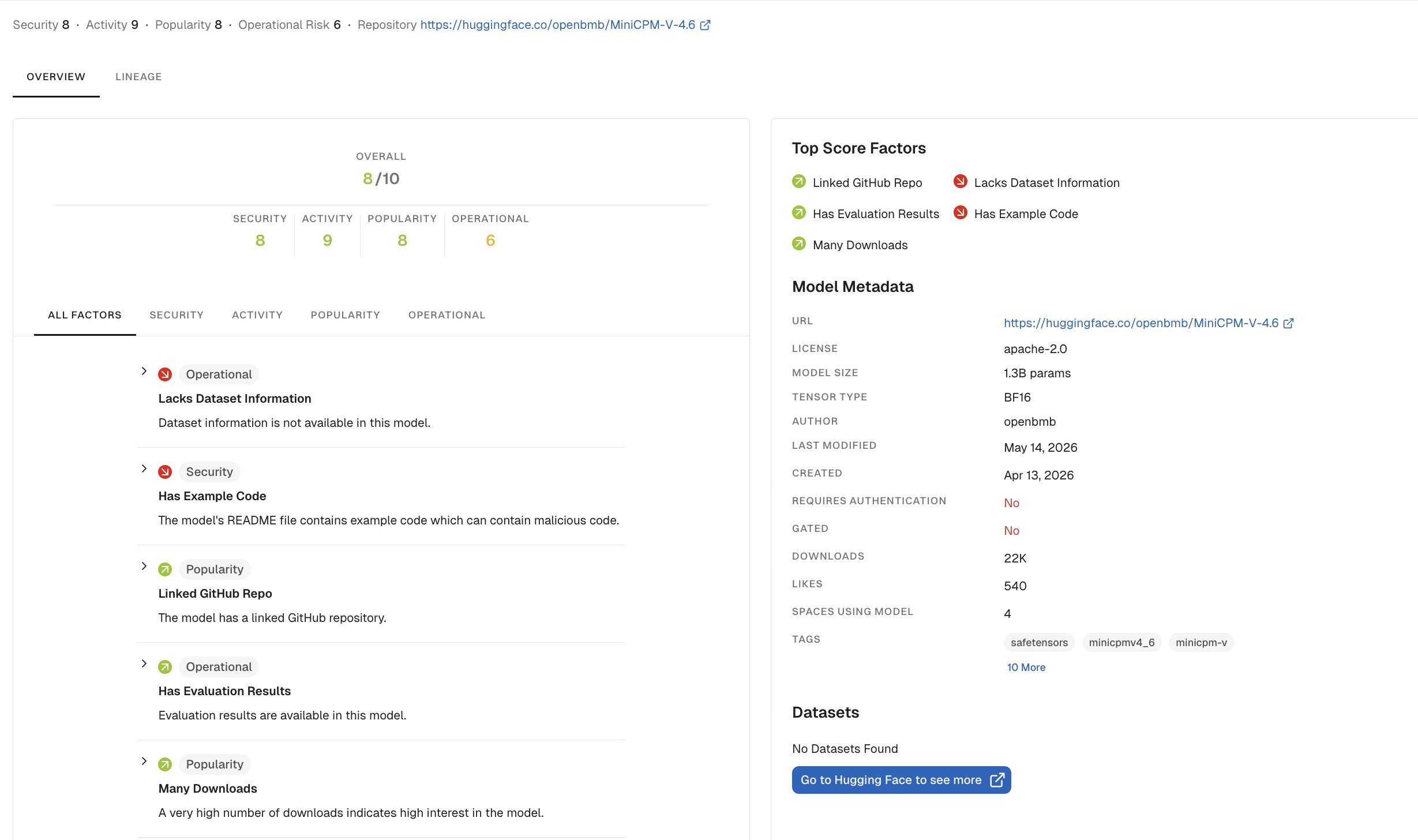
Select a model to open the detail drawer. The drawer has two tabs:
-
Overview: Shows model metadata including URL, license, author, created and last modified dates, authentication requirements, gated status, downloads, likes, spaces using the model, tags, datasets, model lineage, and importing projects.
-
OSS Scores: Shows the overall Endor score out of 10, broken down by Security, Activity, Popularity, and Operational scores, along with the individual score factors.
-
Overview: Shows model metadata including URL, license, author, created and last modified dates, authentication requirements, gated status, downloads, likes, spaces using the model, tags, datasets, model lineage, and importing projects.
-
Click on View details to open the model details in a new tab.
Filter and search models
The filter bar at the top of the HuggingFace Orgs applies across all Hugging Face organizations and their models. Enter a term in the Search models by name field to filter models by name across all organizations. Organization rows with no matching models are hidden during search. Use the following filters to narrow results:- Visibility: Filter by public or private access status. Select one or more visibility options from the dropdown.
- Task: Filter by the pipeline task associated with the model, such as
text-generationorimage-classification. Select one or more tasks from the dropdown. - Framework: Filter by the ML framework associated with the model, such as PyTorch or TensorFlow. Select one or more frameworks from the dropdown.
- License: Filter by the model’s declared license, such as MIT or Apache 2.0. Select one or more licenses from the dropdown.