Endor Labs provides a Hugging Face integration that continuously scans all models in your Hugging Face organization and scores them for security, activity, popularity, and quality. You can use the integration to gain visibility into both public and private models, identify risks, and govern AI model usage across your organization. The scans discover models across the organization and surface them in your inventory along with their Endor scores. Providing a Hugging Face access token extends coverage to private and gated models in addition to public ones. Discovered models are also correlated with models referenced in your project source code, enabling previously undiscoverable private models to be identified and included in your inventory.
Only users with the admin authorization role can create and manage installations.

Configure the Hugging Face integration

To connect a Hugging Face organization and scan its models:
  1. Select Projects from the left sidebar.
  2. Click Add Project.
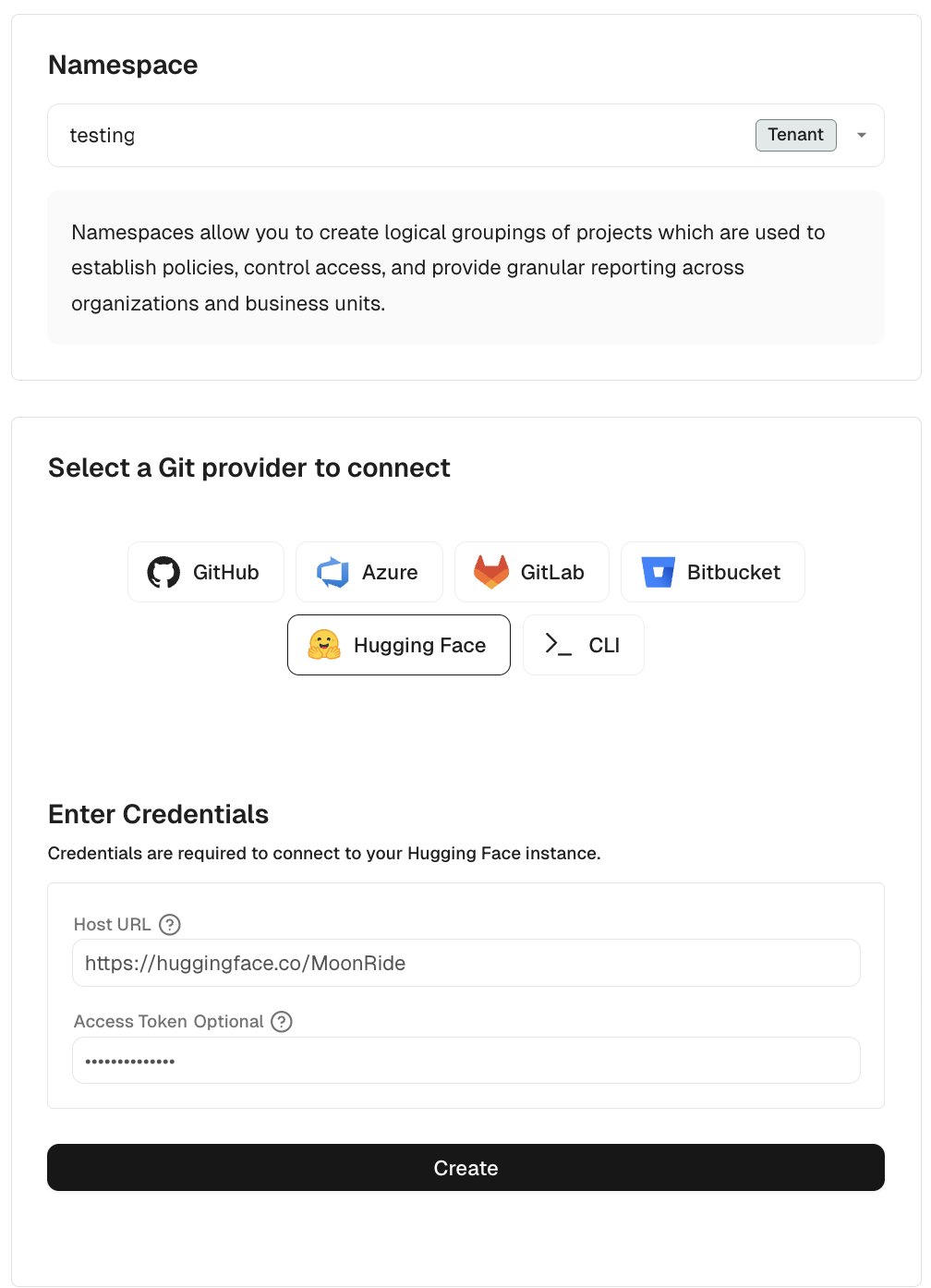
  3. Under Namespace, select the Endor Labs namespace for this installation.
    We recommend you use a child namespace for better organization of your projects.
  4. Select Hugging Face. Add Hugging Face organization
  5. Enter the host URL of your Hugging Face organization in the format https://huggingface.co/<organization-name>, for example https://huggingface.co/meta-llama.
  6. Optionally, enter your Hugging Face access token.
    A token with read-only access is required to scan private models.
  7. Click Create.
Endor Labs scans all models in the organization and reports findings.

Scan with endorctl

You can scan a Hugging Face organization from the command line using the following command:
endorctl sync-org --namespace <namespace> --platform-source=huggingface --name=<organization-name>
Replace <organization-name> with the organization name as it appears in Hugging Face, for example meta-llama or google. Alternatively, you can provide the installation UUID instead of the organization name:
endorctl sync-org --namespace <namespace> --platform-source=huggingface --uuid=<installation-uuid>