The Agents Hub catalog lists every agent Endor Labs publishes for your tenant. This page shows you how to find an agent, read what it does, and install it in your AI coding assistant.

Open the catalog

Select Agents Hub from the left sidebar. The catalog groups agents into up to two sections.
  • Active agents: Agents that ran recently in your tenant. This section appears only when at least one agent has recent activity.
  • More agents: The rest of the catalog. When no agent has recent activity, the catalog shows a single unlabeled grid instead.
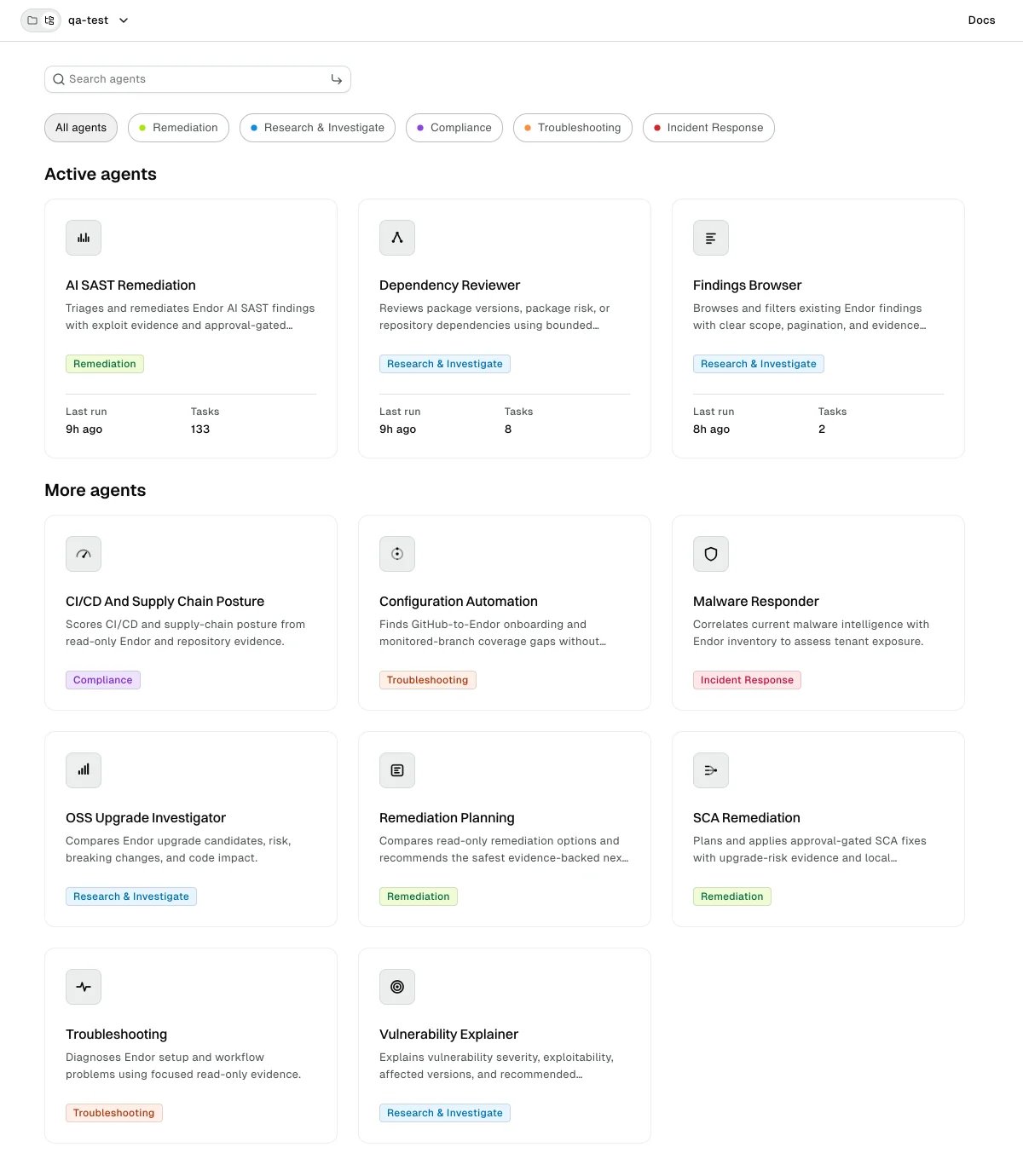
Agents Hub catalog with Active agents and More agents sections Each agent appears as a card with an icon, its name, and a short description. A card under Active agents also shows a Last run time and a Tasks count. See Agent activity for what those numbers mean.

Find an agent

You can narrow the catalog by category, by search term, or both.

Filter by category

Above the grid, the catalog shows a chip for All agents and a chip for each category present in the catalog. Select a category to show only its agents, and select it again to return to All agents. You can select one category at a time. Categories describe the kind of work an agent does.

Search by name

Enter a term in Search agents. The search matches each agent’s name and short description as you type, and it applies on top of any category you selected. If nothing matches, the catalog reports No matching agents. Clear the search to return to the full catalog.

Open an agent’s details

Select an agent card to open its details. The detail view has two sections. Agent detail view showing what the agent does and its available platforms
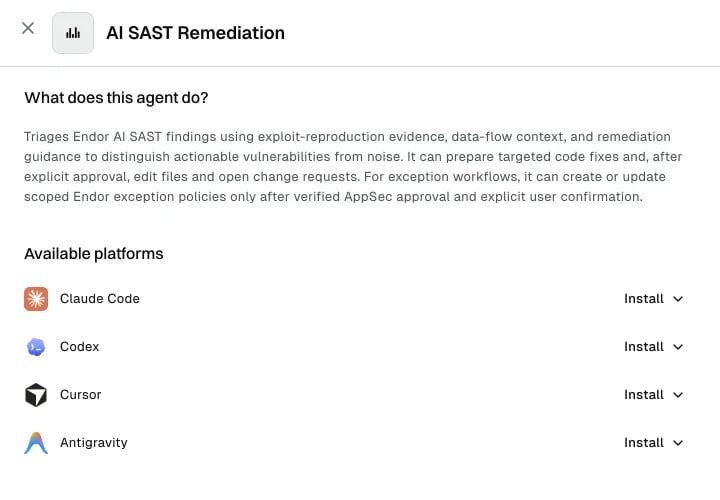
What does this agent do?

The first section describes what the agent does, when to use it, what evidence it works from, and whether it changes anything. Agents that only read your data say so here.

Available platforms

The second section lists every AI coding assistant the agent supports, one row per platform. Select Install on a row to reveal the install command for that platform, then copy it and run it where that assistant is set up. The platforms shown depend on what the agent publishes, so an agent can list fewer platforms than another. The agents run inside your AI coding assistant, not in the browser. For a full setup walkthrough per assistant, see the Agent Kit. For how an agent authenticates when it reaches Endor Labs data, see Delegated agent credentials.

Catalog states

The catalog tells you when it has nothing to show or can’t load. These are the states you can encounter.