

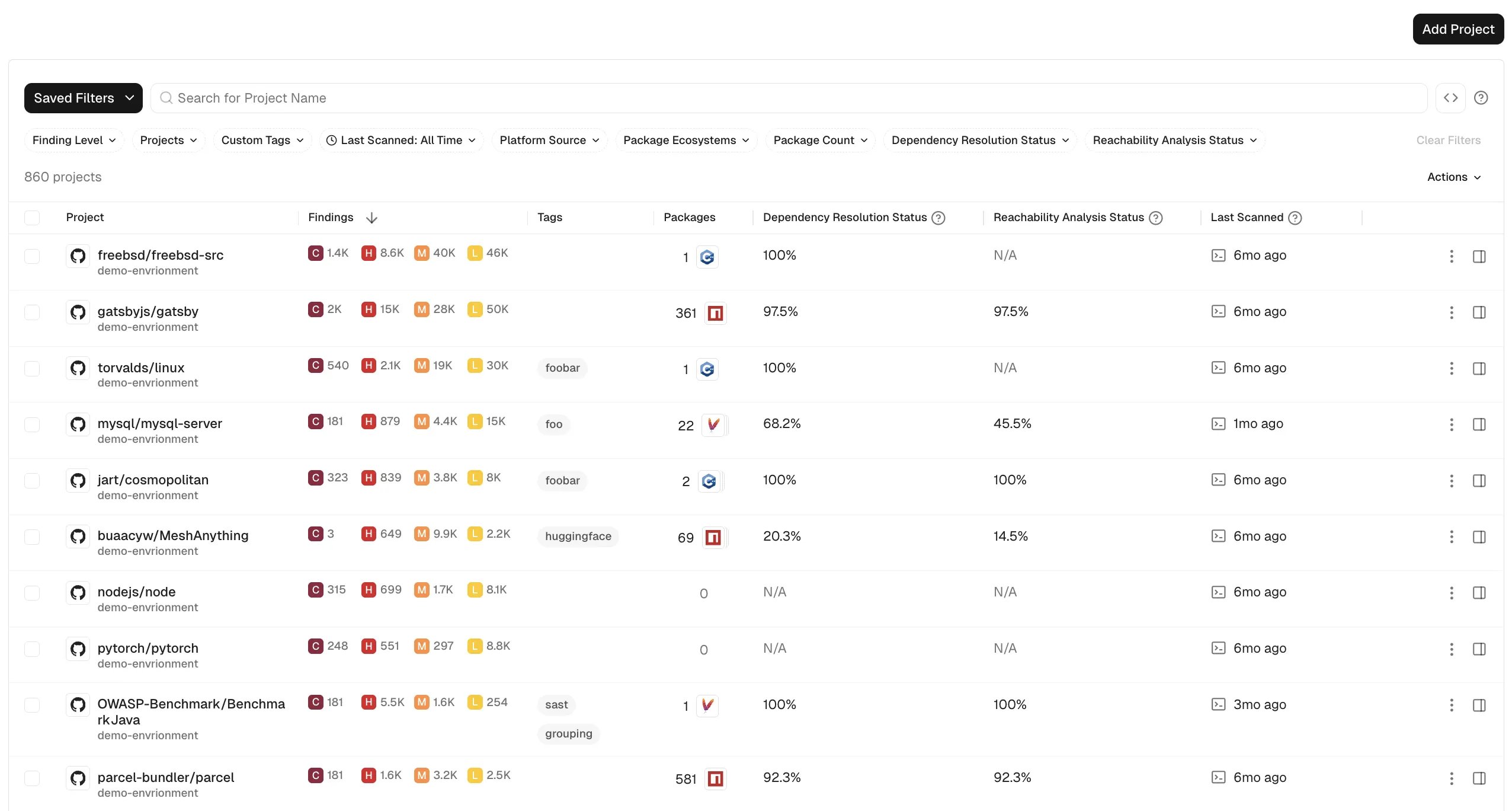
- Source Code Management Platform - The icon that represents the source code management platform like GitHub, GitLab, Azure DevOps and Bitbucket.
- Project - The name of the project, shown as
SCM Organization/Project Name. - Findings - The condensed view of the number of critical, high, medium, and low severity findings in the project.
- Tags - The tags associated with the project.
- Packages - The number of packages in the project.
- Dependency Resolution Status - The percentage of packages that have been fully analyzed with no dependency resolution errors.
- Reachability Analysis Status - The percentage of packages eligible for reachability analysis that have been fully analyzed with no call graph errors.
- Last Scan - The elapsed time since the project was last analyzed by Endor Labs.
View project details
Select a row to view the project details, such as the project metadata, finding details, and tools associated with the project.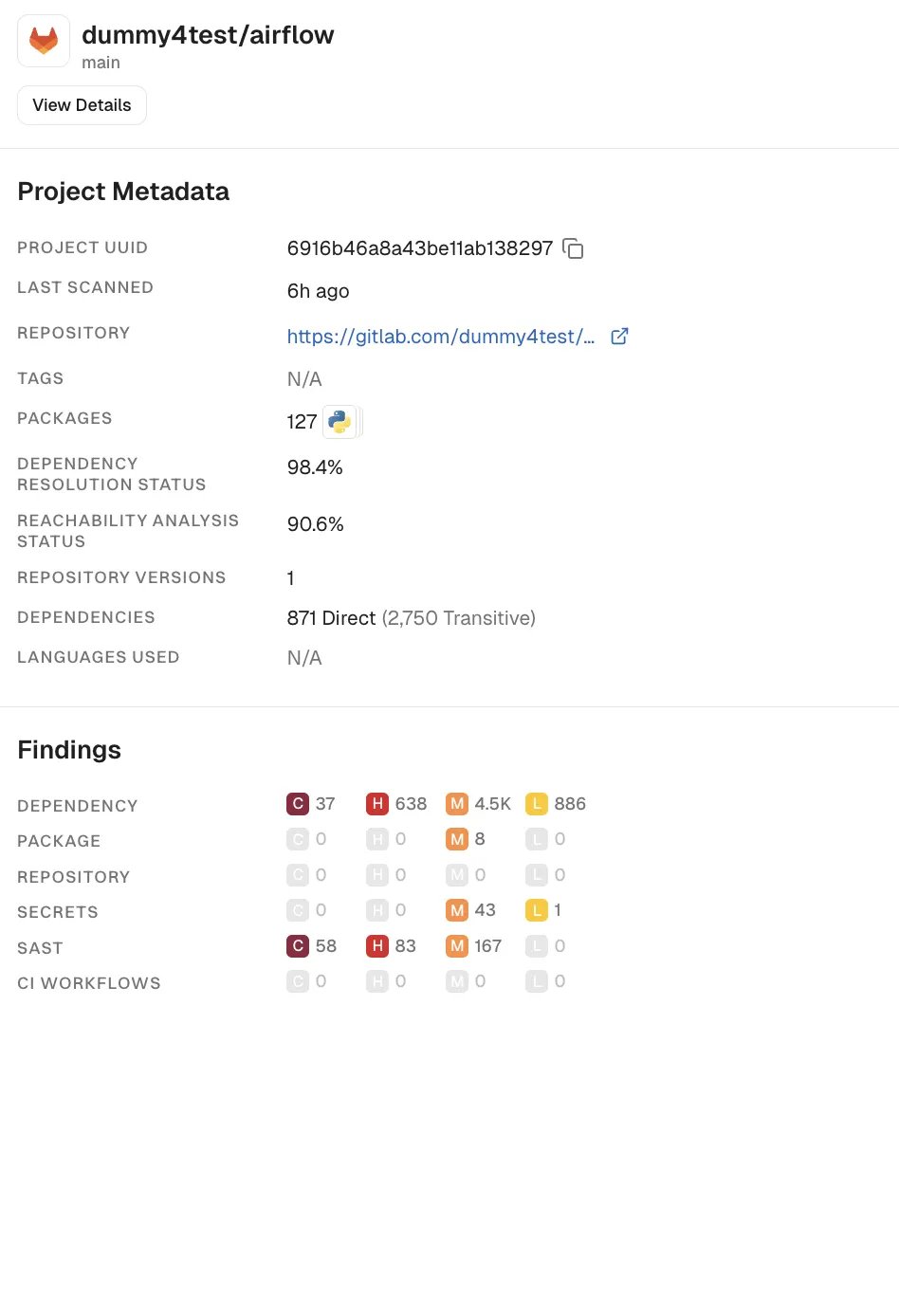
Track a repository version
Add a branch or tag to a project’s Monitored Versions list so Endor Labs scans it going forward.- Select Projects from the left sidebar and select a project.
- Go to Settings.
- Under Monitored Versions, click Track Repository Version.
- Enter the branch or tag name and click Save.
Validation requires a project connected through an SCM App installation. Versions created by a scan, such as an
endorctl scan in CI, skip validation, since the scan itself confirms the ref exists. If Endor Labs can’t complete the validation lookup — for example, if it times out — it still saves the version rather than blocking it.