

- Select User menu > Integrations from the left sidebar.
-
Click Manage next to GitHub under Source Control Managers.
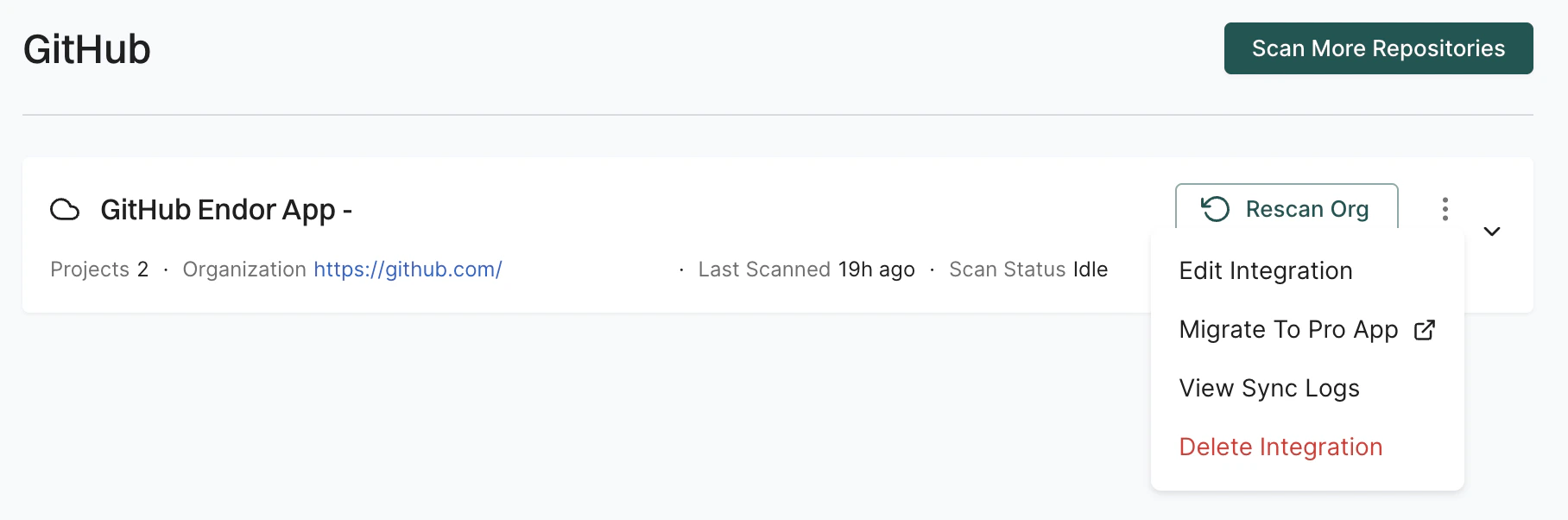
- Click the three vertical dots next to the integration. You can choose from the following options:
Edit GitHub App integration
To edit the GitHub App integration:- Click the three vertical dots next to the integration, and select Edit Configuration.
-
Select the scan types to enable in Scanners.
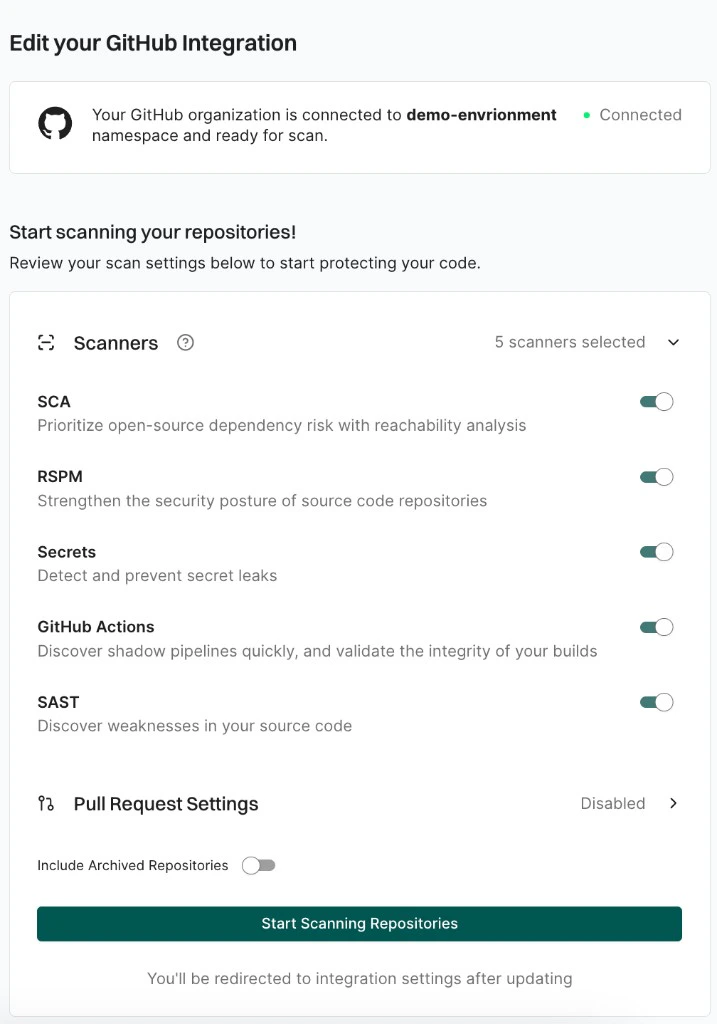
- Select Pull Request Settings to edit the PR scans configuration. See GitHub App PR scans for more information.
-
Click Update Configuration to save the changes.
The changes are applied from the next scanning cycle.
Click Rescan Org after editing the integration to apply changes immediately instead of waiting for the next scheduled scan.
Delete Endor Labs GitHub App
To delete a GitHub App integration, click the three vertical dots next to the integration, and select Delete Integration. Deleting the integration deletes all child namespaces, projects, and references associated with the auto-generated root group namespace. It also deletes any manually created namespaces and projects under that namespace.View sync logs
To view sync logs, click the three vertical dots next to the integration, and select View Sync Logs. The sync logs display details of synchronization attempts, including timestamps, error types, and diagnostic messages. These logs help identify issues such as authentication failures or configuration problems.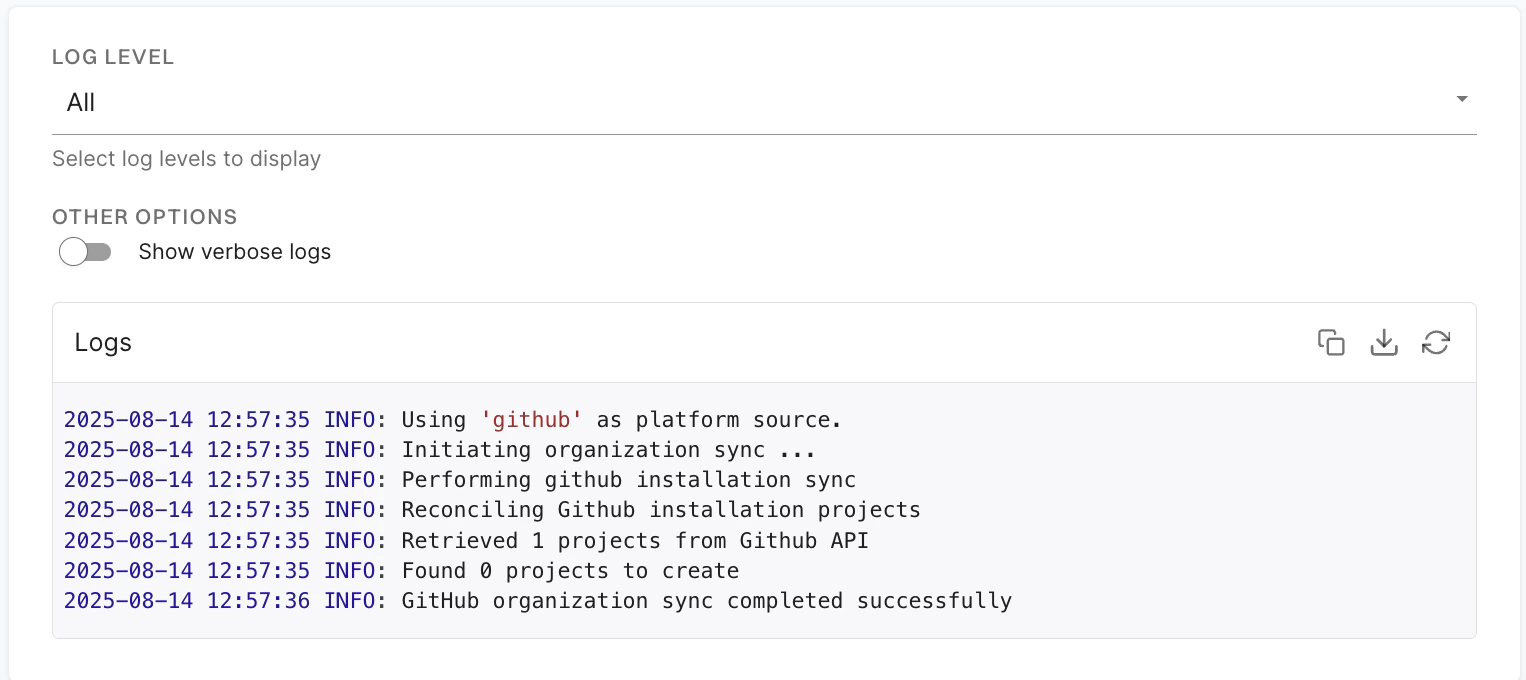
Migrate to GitHub App (Pro)
To migrate from standard GitHub App to GitHub App (Pro):- Click the three vertical dots on the right side of the integration that you want to edit, and select Migrate to Pro App.
- Click Migrate. You will be redirected to GitHub.
- Click Configure.
- Select a user to authorize the app.
- Select Configure in the organization in which you want to migrate the app.
- Select whether to install and authorize Endor Labs on all your repositories or select the specific repositories that you wish to scan.
- Choose the namespace and click Next.
- Select and enable the scanners you require.
- Select the preferences for scanning pull requests, if required.
- Click Continue.
Old installation cleanupAfter migration is successful, delete the old installation from your GitHub organization.
Manually rescan GitHub repositories
The GitHub App scans your repositories every 24 hours. Click Rescan Org to manually trigger a scan outside the 24-hour period.Add more GitHub repositories to scan
You can onboard new repositories by either creating a new GitHub Cloud App installation or updating your existing installation. To add more repositories to your existing installation:- Select Integrations from the left sidebar.
- Click Manage next to GitHub.
- Click Scan More Repositories.
- From GitHub, choose GitHub Cloud App.
- Click Install GitHub App. You will be redirected to GitHub.
- On GitHub, select Configure next to your existing organization installation for Endor Labs.
- Under Repository access, select Only select repositories and choose the additional repositories you want to include. You can also select All repositories instead to grant access to every repository in the organization.
- Click Save.
- When you return to Endor Labs, click Start Scanning Repositories.