System specifications for deep scan
Before you proceed to run a deep scan, ensure that your system meets the following specification.File format specifications
When scanning archive formats such as.zip, tar, and .tar.gz, we support embedded package formats including .jar, .ear, .war, and .whl. We also support .tar.gz archives that contain Python package metadata such as egg-info.
You can scan JAR, WAR, and EAR package file formats built using Maven or Gradle with a pom.xml configuration file. To scan packages without a pom.xml configuration, see Scan Java packages without pom.xml.
Software prerequisites
If you have a private registry and internal dependencies on other projects, you must configure private registries for the Python and Java projects. See Configure package manager integrations for more information.Understand the scan arguments
Use--package as an argument to scan artifacts or binaries. You must provide the path of your file using --path and specify a name for your project using --project-name.
Run the scan
Use the following options to scan your repositories.Option 1 - Quick scan
Perform a quick scan of the local packages to get quick visibility into your software composition. This scan won’t perform reachability analysis to help you prioritize vulnerabilities. Syntax:Option 2 - Deep scan
Use the deep scan to perform dependency resolution, reachability analysis, and generate call graphs. You can do this after you complete the quick scan successfully. Syntax:View results
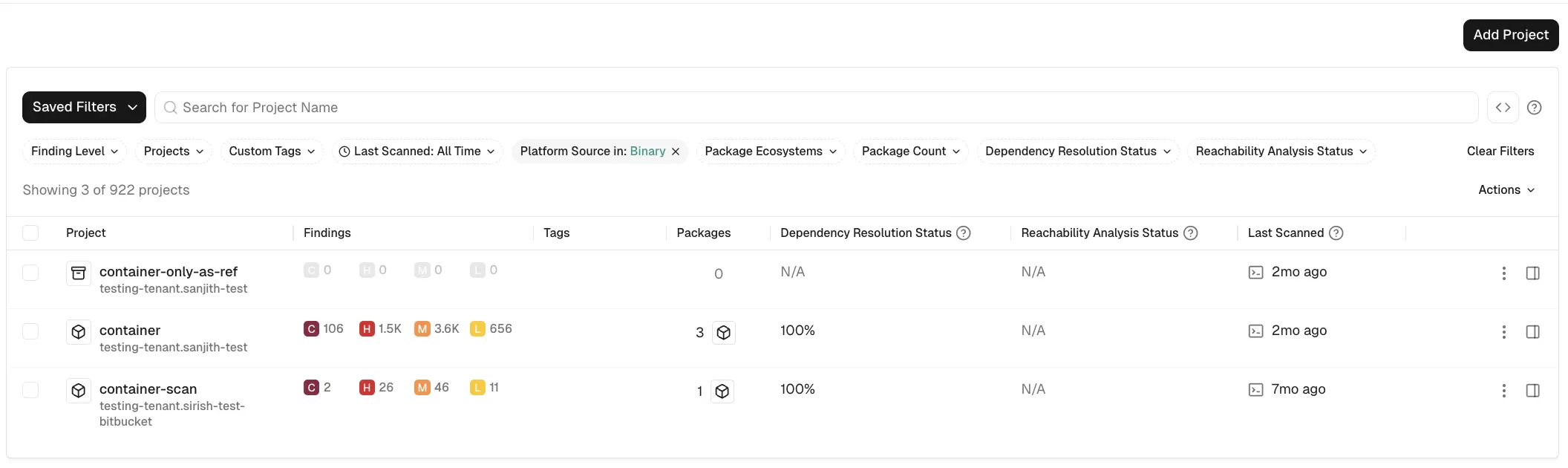
You can sign into the Endor Labs user interface, click the Projects on the left sidebar, and find your project using the name you entered to review its results.If you use Endor Labs with an EU tenant, use
https://app.eu.endorlabs.com instead of https://app.endorlabs.com.Platform Source in: Binary filter.