

- View detected AI models: Select Inventory > AI Models from the left sidebar to see AI models discovered in your namespace.
-
Search AI models from Hugging Face: Select Threat Center from the left sidebar, then select AI Models to search and evaluate models.
-
Enter a search term and click Search AI Models.
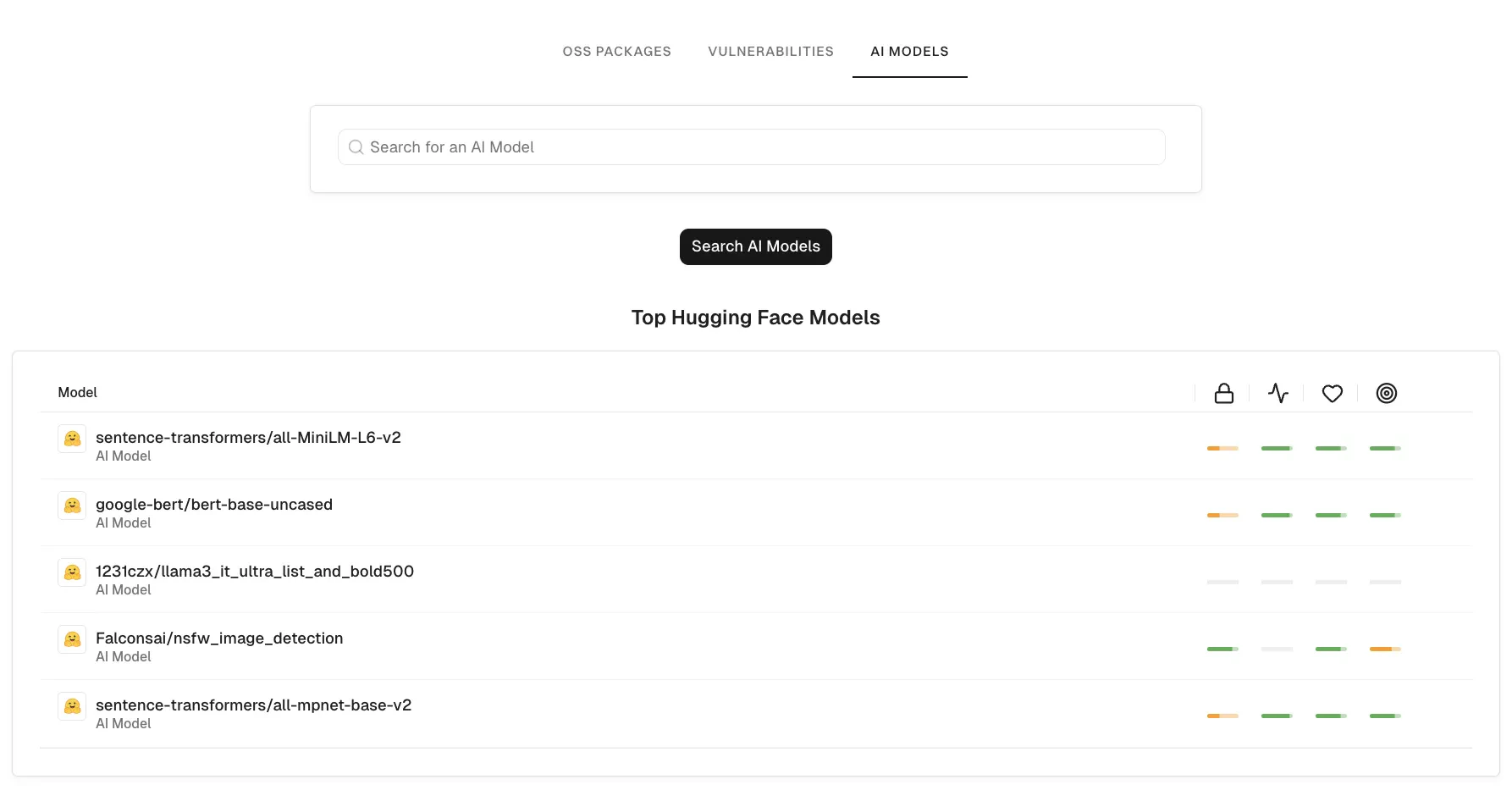
-
Select a result to view details such as the security, activity, popularity, and operational scores.
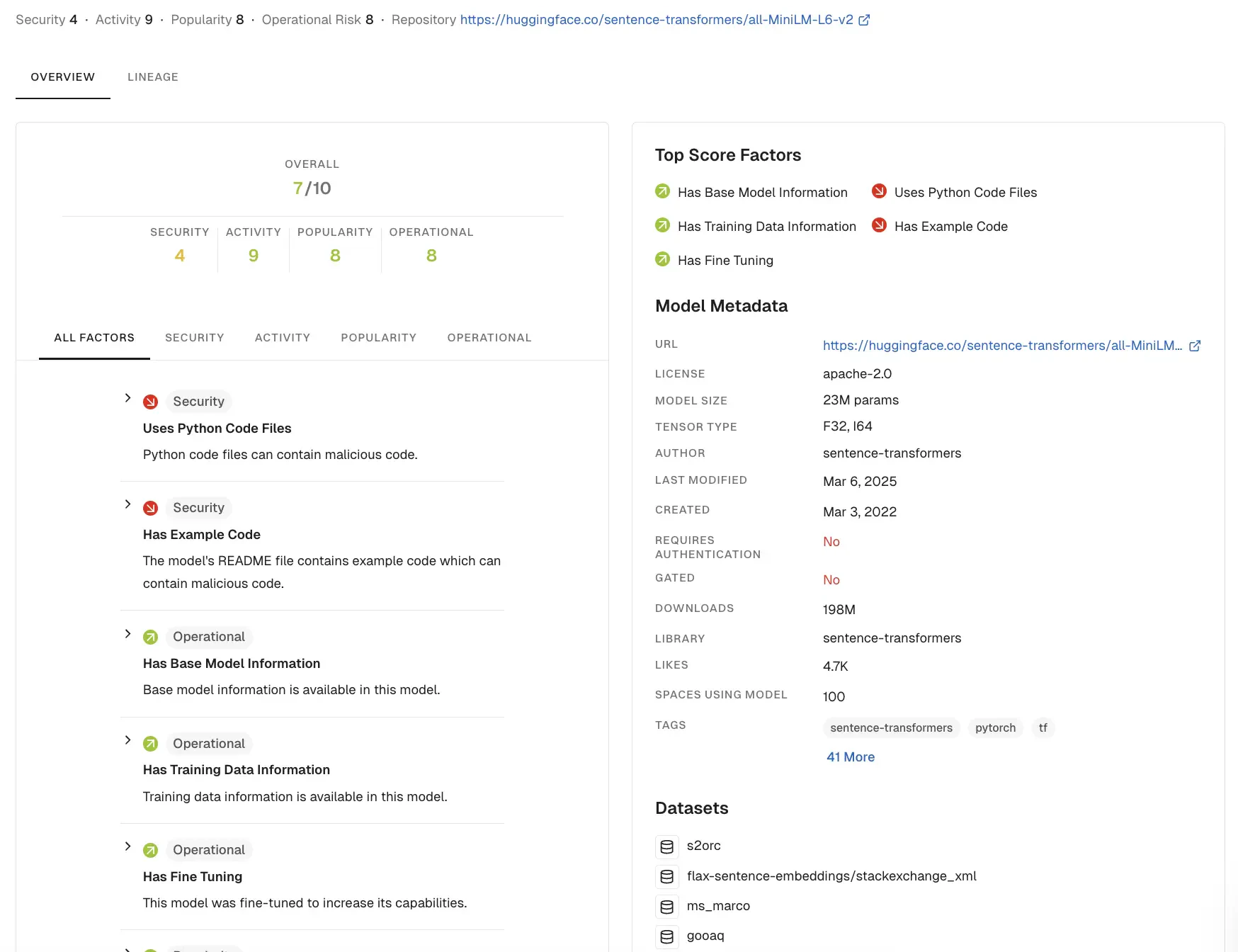
- Click Go to Hugging Face to see more to open the model on the Hugging Face website.
-
Enter a search term and click Search AI Models.
Understand the scores
Each model has an Endor score in four categories. Expand a category to see the factors that contribute to its score.Popularity score factors
Popularity score factors
The popularity score reflects how widely the AI community has adopted the model.
- Number of downloads: Models with more downloads score higher. Models with very few downloads score lower.
- Number of likes: Models with more likes score higher. Models with very few likes score lower.
- Published papers: Models with a linked paper score higher.
- GitHub repository: Models with a linked GitHub repository score higher.
- Number of spaces using the model: Models that more Hugging Face Spaces use score higher. Models that very few Spaces use score lower.
Activity score factors
Activity score factors
The activity score measures how actively the community discusses and maintains a model.
- Discussion posts: Models with discussion posts score higher.
- Pull requests: Models with pull requests score higher.
Operational score factors
Operational score factors
The operational score assesses the model’s reliability, transparency, and usability.
- Reputable provider: Models from a popular organization or a large corporation score higher.
- Model age: Newly created models score lower because there isn’t enough information to assess them.
- Authorization requirements: Models that require authorization to access their data score lower.
- Gated models: Models that require extra steps to gain access score lower.
- License information: Models with license information score higher. Models without license information score lower.
- License type: Models with a permissive or unencumbered license score higher. Models with a notice, reciprocal, restricted, or forbidden license score lower.
- Metric information: Models that include metrics score higher.
- Dataset information: Models that include dataset information score higher. Models without dataset information score lower.
- Base model information: Models that name their base model score higher.
- Training data, fine-tuning, and alignment training information: Models that include this information score higher.
- Evaluation results: Models that include evaluation results score higher.
Security score factors
Security score factors
The security score evaluates the risks in a model’s files and its source.
- Use of safe tensors: Models with
.safetensorsweight files score higher. - Use of potentially unsafe files: Models with pickle files, Keras model files, executable files, or Python code files score lower. These files can run arbitrary code when you load or run them.
- Custom code on load: Models that need
trust_remote_codeto load score lower. Loading these models runs Python code from the model repository or from another repository. - Typosquatting risks: Models with an author name similar to a popular provider score lower.
- Example code availability: Models with example code in the README file score lower because the code can be malicious.
.pth, .pt, .ckpt, and the listed .bin files in the pickle format, so Endor Labs treats them as pickle files. The .nemo and .mar files are archives that hold pickled checkpoints. Other .bin files, such as GGML weights and ONNX external data, don’t lower the score.Keras model files can run code from Lambda layers when you load them. Weights-only files can’t carry a Lambda layer, so they don’t lower the score. Endor Labs treats tf_model.h5, sharded files such as tf_model-00001-of-00002.h5, and files that end in .weights.h5 as weights-only files.The usesPth and usesPickle factors describe the same pickle risk. A model that contains both kinds of files receives only usesPickle.A model receives only one factor for pickle, Keras, and executable files. A model with pickle files receives the pickle factor. Otherwise, a model with Keras model files receives usesKeras, and a model with only executable files receives usesExecutableFiles.The usesRemoteCode factor doesn’t depend on file names. A model receives it when its configuration has an auto_map entry or when it has the custom_code tag. A model that receives usesRemoteCode doesn’t also receive usesPythonCodeFiles.