

Download and install endorctl
Use one of the following methods to download and install endorctl on your local system. After you install endorctl, you must authenticate. Then you can start scanning your code.Install endorctl with Homebrew
Use Homebrew to efficiently install endorctl on macOS and Linux operating systems making it easy to manage dependencies, and track installed packages with their versions. Install endorctl from the Endor Labs tap with Homebrew by running the following commands. Endor Labs updates the tap regularly with the latest endorctl release.Install endorctl with npm
Use npm to efficiently install endorctl on macOS, Linux, and Windows operating systems making it easy to manage dependencies, track and update installed packages and their versions.-
Make sure that you have npm installed in your local environment and use the following command to install endorctl.
-
Run the following command to get the npm global bin directory.
-
Edit your shell configuration file and insert the path you obtained from the previous command.
-
Reload your shell configuration and confirm that endorctl runs.
-
To update your version of endorctl, run the following command.
Download and install the endorctl binary directly
To download the endorctl binary directly use the following commands:- Linux
- Mac OS
- Windows
If you use Endor Labs with an EU tenant, use
https://api.eu.endorlabs.com instead of https://api.endorlabs.com.- Sign in to Endor Labs.
- Select Projects from the left sidebar.
- Click Add Project.
- Choose CLI.
- Follow the on-screen instructions to download and install the appropriate version and architecture of
endorctlfor your system.
Download a specific version of endorctl
To pin your environment to a specific release, download a versioned binary instead of thelatest URL.
To find the latest available version number, run:
<version> with the version string (for example, v1.6.123) and download the binary for your platform:
- Linux
- Mac OS
- Windows
Authenticate to Endor Labs
You can authenticate to Endor Labs in the following ways:Login with the init command
Runendorctl init and your browser window will open automatically. Select your authentication provider from the available options and complete the authentication process.
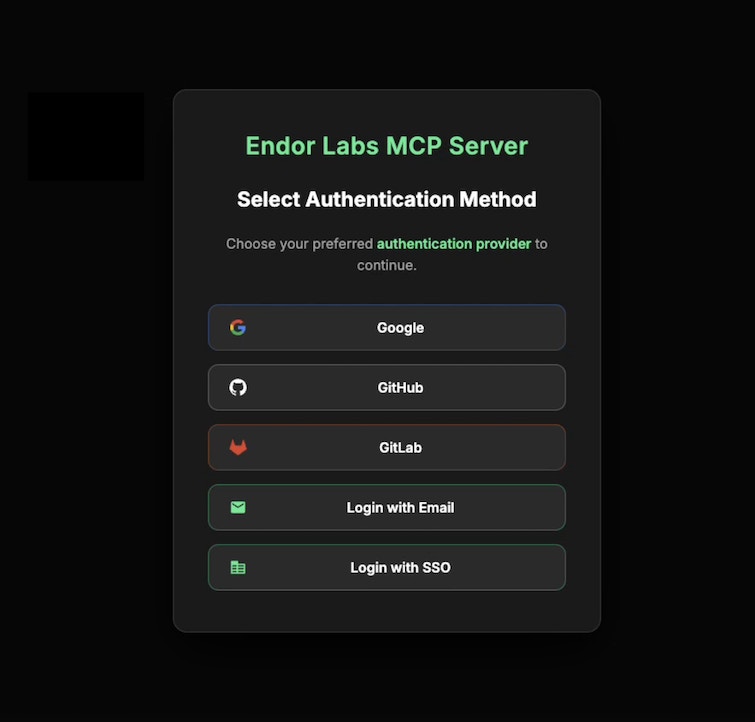
- Google
- GitHub
- GitLab
- Email
- SSO
- Google
- GitHub
- GitLab
- Email
- SSO
Login with an API Key
To log in with an API key you’ll need to set the following environment variables:- ENDOR_API_CREDENTIALS_KEY - The API key used to authenticate against the Endor Labs API.
- ENDOR_API_CREDENTIALS_SECRET - The API key secret used to authenticate against the Endor Labs API.
- ENDOR_NAMESPACE - The Endor Labs namespace you would like to scan against. You can locate the namespace from the top left hand corner of the screen under the Endor Labs logo on the Endor Labs application.
If you use Endor Labs with an EU tenant, use
https://app.eu.endorlabs.com instead of https://app.endorlabs.com.If you do not have any projects in your namespace you will get an empty json output, which means you are successfully authenticated.
Print your access token
Once you have successfully initialized endorctl, you can print your access token with the following command.Persistently set environment variables for endorctl
To persistently set an environment variable, append the environment variable and the value to~/.endorctl/config.yaml. This configuration file is for CLI usage.
For example, if your GitHub Enterprise Server URL was https://api.github.com you can set the variable to persist in your configuration using the following command.