> ## Documentation Index
> Fetch the complete documentation index at: https://docs.endorlabs.com/llms.txt
> Use this file to discover all available pages before exploring further.
# Set up AI security code review with GitHub App
> Learn how to set up and configure AI security code review for your projects
To set up AI security code review, you need to complete the following tasks:
* Ensure that the [GitHub App](#github-app-configuration) is installed and configured properly. If you are using endorctl, skip this step and ensure that you have set up the [environment variables](/secure-ai-coding/ai-security-review/ai-security-review-endorctl) required for the endorctl scan command.
* Configure a [scan profile](#configure-scan-profile-for-ai-security-code-review) for AI security code review.
* Enable the [security review finding policy](#enable-finding-policy-for-ai-security-code-review).
* Configure an [action policy](#configure-action-policy-for-pull-request-comments) if you want to get comments on your GitHub pull request with the details of the AI security code review.
## GitHub App Configuration
Install the GitHub App if you don't have it already. See [GitHub App](/setup-deployment/scm-integrations/github-app) for more information.
Ensure that you enable the following settings:
* **Pull Request Scans:** **Pull Request Scans** allows Endor Labs to scan the pull requests. You must enable this setting so that AI security code review can proceed for a pull request.
* **Pull Request Comments:** **Pull Request Comments** allows Endor Labs to comment on a pull request in GitHub. This setting is optional, and you need to enable this setting if you want a comment on your GitHub pull request with the details of the AI security code review. In addition, you also need to select **Pull Request Comments** in your scan profile and set up an action policy.
## Configure scan profile for AI security code review
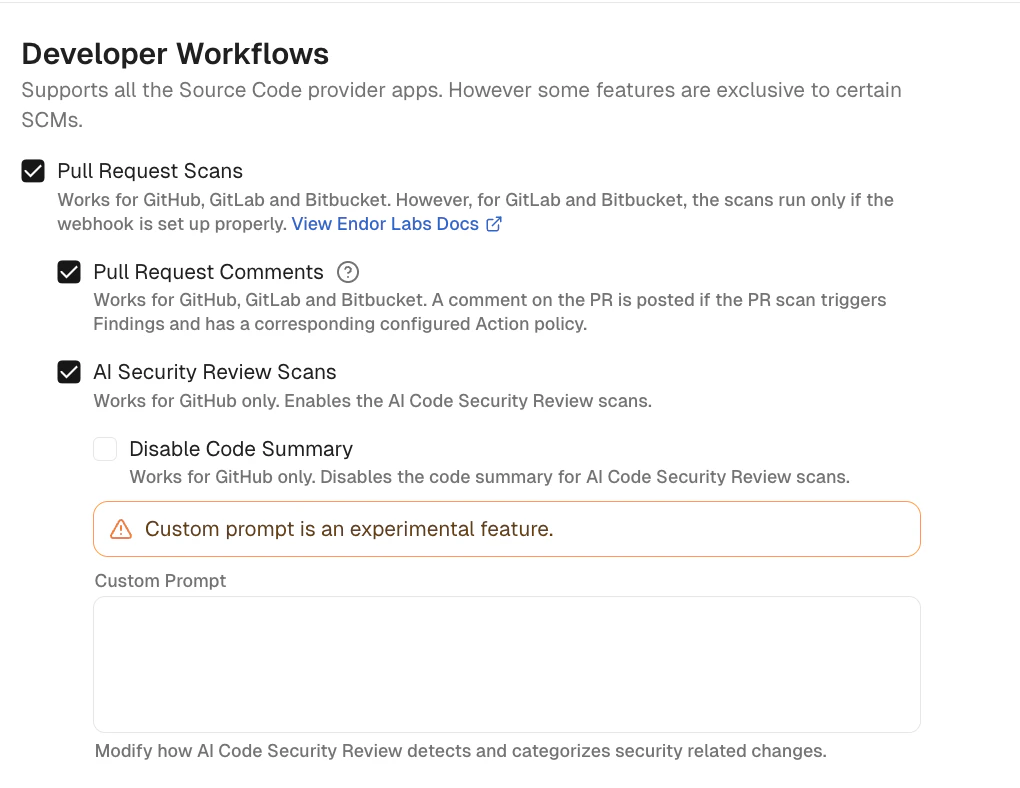
Create a [scan profile](/scan/scan-profiles/build-tools) for AI security code review and configure the following options:
* **Pull Request Scans**: Mandatory. This setting allows Endor Labs to scan the pull requests.
* **Pull Request Comments**: Optional. This setting allows Endor Labs to comment on a pull request in GitHub.
* **AI security code review Scans**: Mandatory. This setting allows Endor Labs to scan the pull requests for AI security code review.
* **Disable Code Summary**: Optional. This setting allows you to disable the code summary for the AI security code review.
* **Custom Prompt**: Optional. You can enter a custom prompt to modify how AI security code review detects and categorizes security-related changes.
 After you create the scan profile, assign the scan profile to the projects for which you want to set up AI security code review.
## Enable finding policy for AI security code review
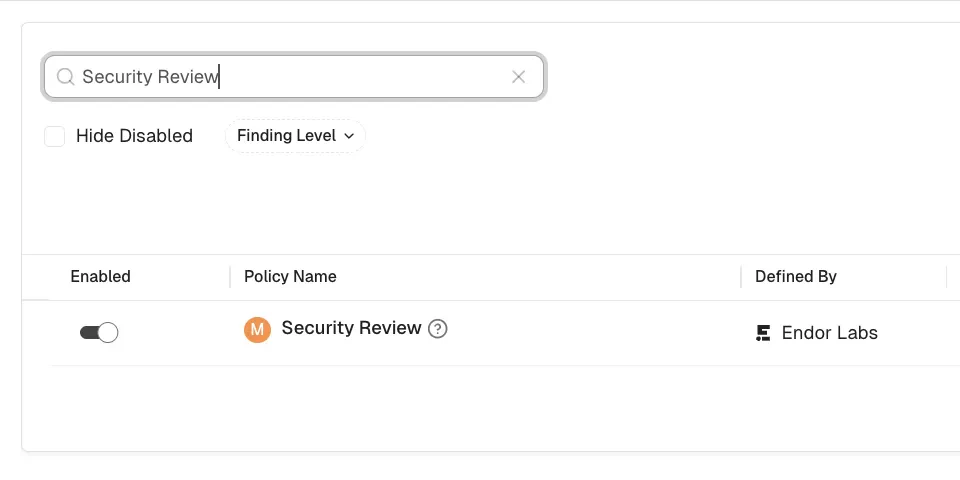
Ensure that the Security Review policy is enabled under finding policies.
1. Select **User menu** > **Policies & Rules** from the left sidebar.
2. Select **Finding Policies**.
3. Search for `Security Review` and ensure that the policy is enabled.
After you create the scan profile, assign the scan profile to the projects for which you want to set up AI security code review.
## Enable finding policy for AI security code review
Ensure that the Security Review policy is enabled under finding policies.
1. Select **User menu** > **Policies & Rules** from the left sidebar.
2. Select **Finding Policies**.
3. Search for `Security Review` and ensure that the policy is enabled.
 ## Configure action policy for pull request comments
If you want to get comments on your GitHub pull requests, you need to set up an action policy.
1. Select **User menu** > **Policies & Rules** from the left sidebar.
2. Select **Action Policies**.
3. Click **Create Action Policy**.
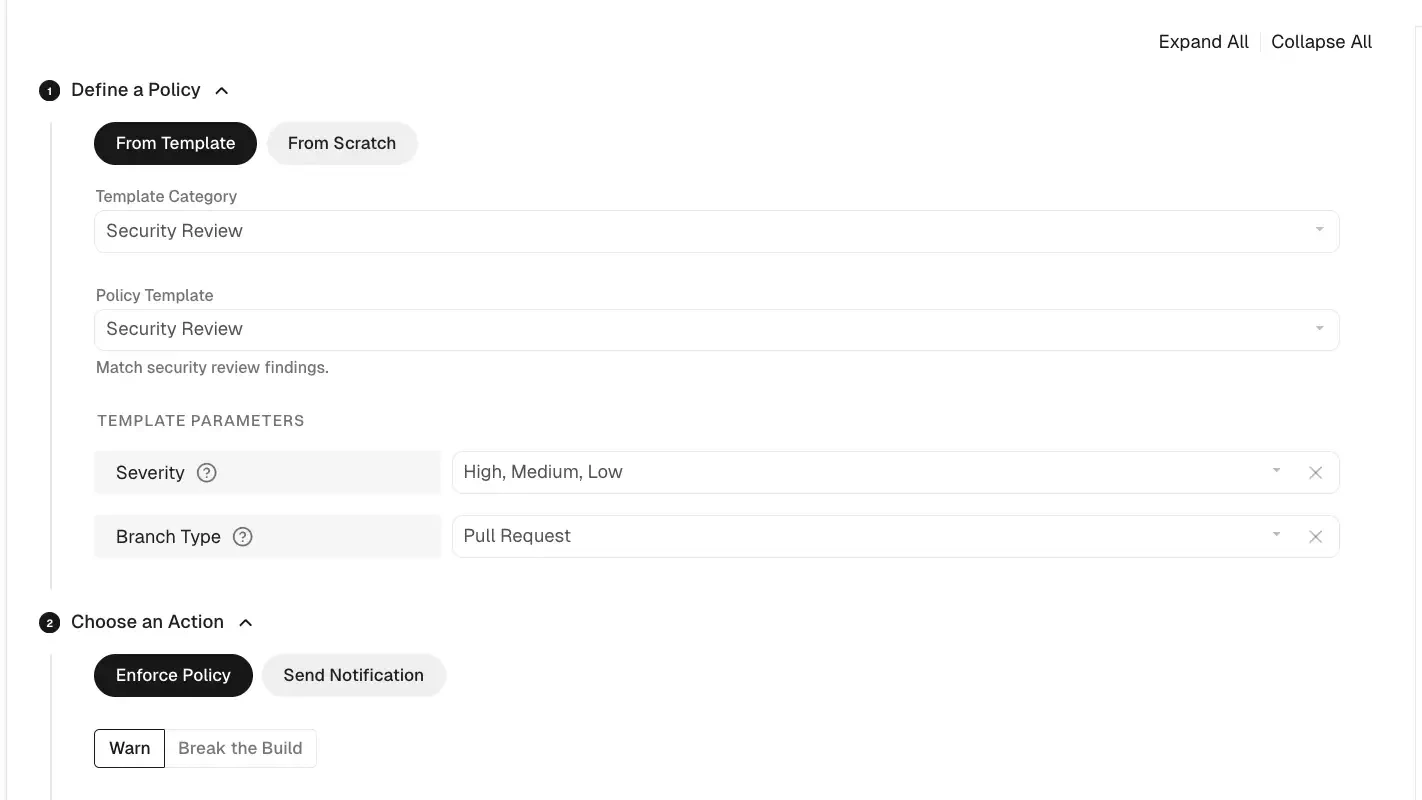
4. Select **Security Review** as the **Policy Template**.
5. Choose the severity threshold to trigger the AI security code review.
You can choose from the following severity thresholds:
* **Any**
* **Low**
* **Medium**
* **High**
* **Critical**
6. Select **Pull Request** as the **Branch Type**.
7. Choose **Enforce Policy** as the action, and select **Warn or Break the Build** depending on your preference.
8. Configure include and exclude patterns for the policy.
9. Name the policy and provide a description.
10. Enter tags if required for the policy.
11. Click **Create Action Policy** to save the policy.
See [Action Policies](/platform-administration/policies/action-policies) for more information on setting up an action policy.
## Configure action policy for pull request comments
If you want to get comments on your GitHub pull requests, you need to set up an action policy.
1. Select **User menu** > **Policies & Rules** from the left sidebar.
2. Select **Action Policies**.
3. Click **Create Action Policy**.
4. Select **Security Review** as the **Policy Template**.
5. Choose the severity threshold to trigger the AI security code review.
You can choose from the following severity thresholds:
* **Any**
* **Low**
* **Medium**
* **High**
* **Critical**
6. Select **Pull Request** as the **Branch Type**.
7. Choose **Enforce Policy** as the action, and select **Warn or Break the Build** depending on your preference.
8. Configure include and exclude patterns for the policy.
9. Name the policy and provide a description.
10. Enter tags if required for the policy.
11. Click **Create Action Policy** to save the policy.
See [Action Policies](/platform-administration/policies/action-policies) for more information on setting up an action policy.